
Track your padel workouts on Apple Watch
Record each padel match as a workout in Apple Health, with a warm-up timer, heart rate at every point, calories, distance and an effort rating.
PadelMax can record each match as a workout while it keeps the score, so one app on your wrist does both. The workout goes to Apple Health with its time, calories, heart rate and distance, and PadelMax also saves your heart rate at every point, so you can see later which rallies cost you the most.
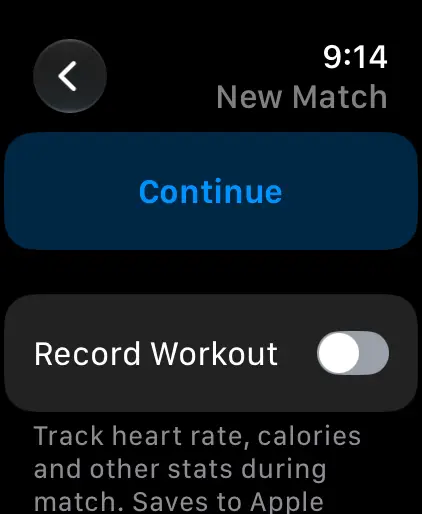
Turn on Record Workout
Before your first match, check that recording is on:
- Open PadelMax on your Apple Watch and tap New Match.
- Scroll down Match Settings and turn on Record Workout.
- Tap Start Match.
If Record Workout is off, PadelMax asks about it after Start Match, with the switch under Continue, so you can still record this match.
The first time, the watch asks for access to Apple Health. Allow it, or PadelMax can’t save the workout. If you said no, open the Health app on your iPhone, tap your profile picture, then Apps, and turn on access for PadelMax.
Choose how the workout is saved
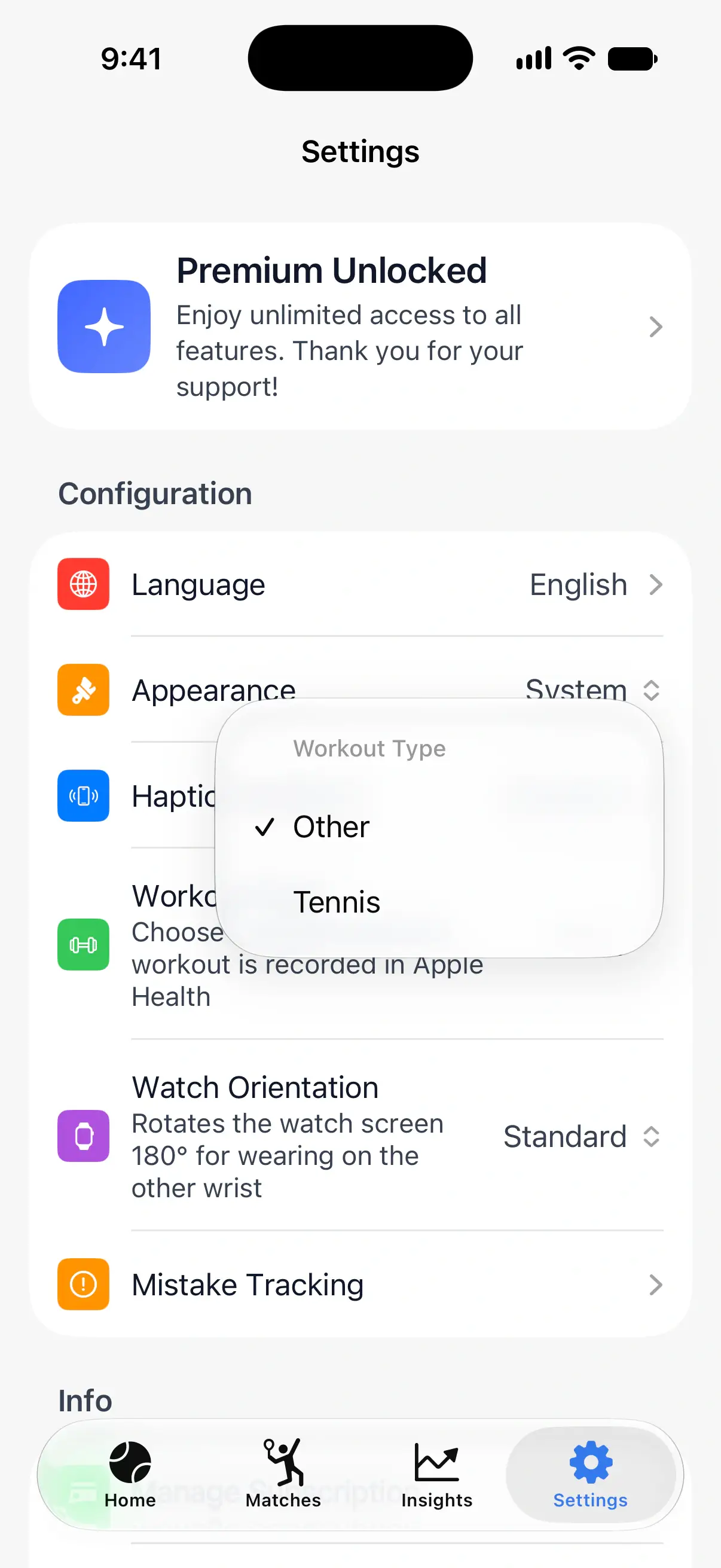
Apple Health has no padel workout type, so PadelMax saves matches as Other by default. If you’d like them next to your tennis workouts, switch to Tennis: in PadelMax on your iPhone, open Settings and tap Workout Type. The watch uses the new type from the next match.

Warm up before the match
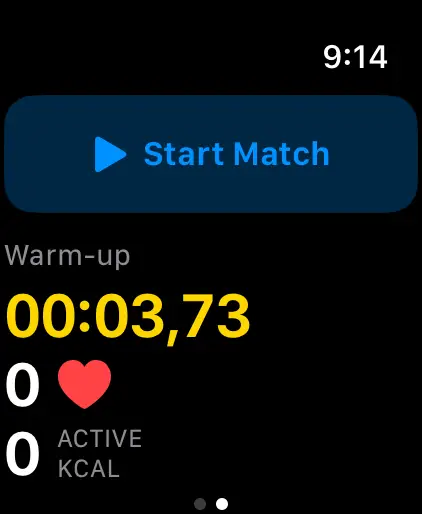
The warm-up timer tracks the minutes before the first point, so they’re part of the workout without counting as match time.
- Turn on Warm-up in Match Settings.
- After Start Match and Continue, the warm-up starts, with its time, your heart rate and active calories.
- When you’re ready to play, tap Start Match at the top, then pick the first server.
The match page on your iPhone shows the warm-up time under the date.
During the match
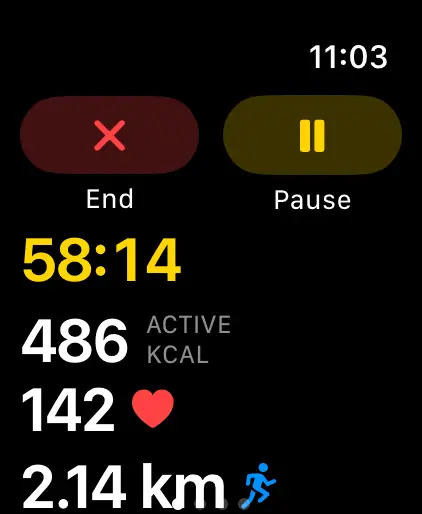
The scoreboard shows your heart rate in a small badge. For the full workout, swipe right from the scoreboard: you’ll see the time, active calories, heart rate and distance, with buttons to pause the workout or end the match.
After the match
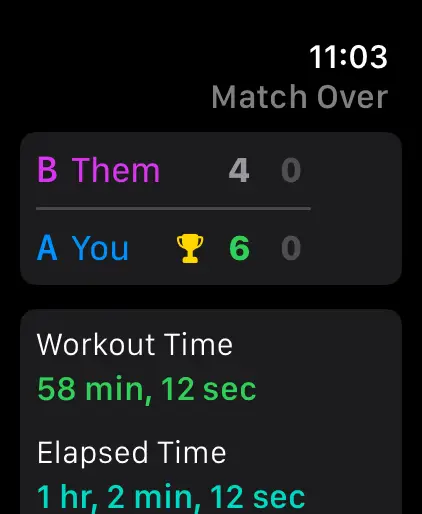
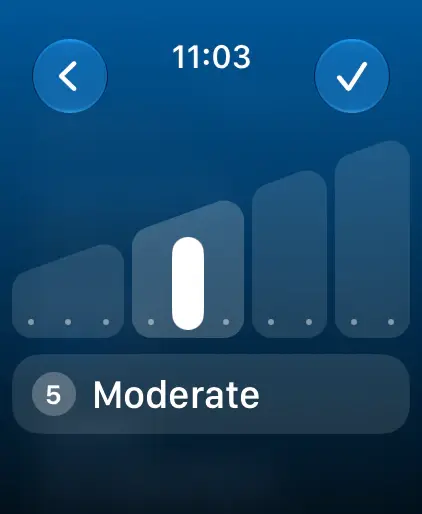
When the match ends, the watch shows a workout summary: the workout and elapsed time, average heart rate, active and total calories, and distance. On watchOS 11 and later, you can also rate how hard the match felt, from 1 to 10 (Easy to All Out). The rating goes to Apple Health with the workout.
See the workout on your iPhone
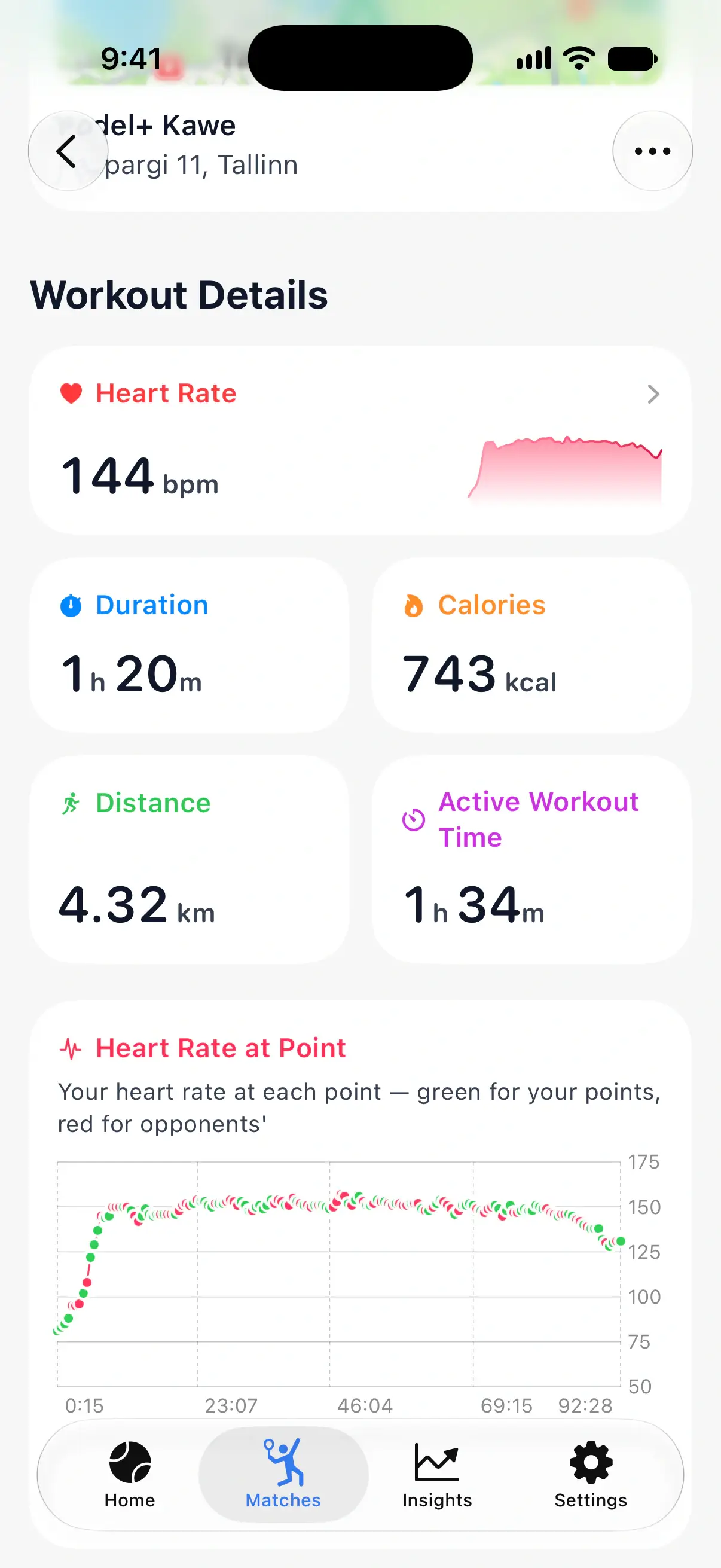
Each match in Matches shows its average heart rate, calories, distance and workout time. Open a match and scroll to Workout Details:
- Heart Rate, Duration, Calories, Distance and Active Workout Time.
- Heart Rate at Point: your heart rate at every point of the match, green for the points you won and red for the opponents’.
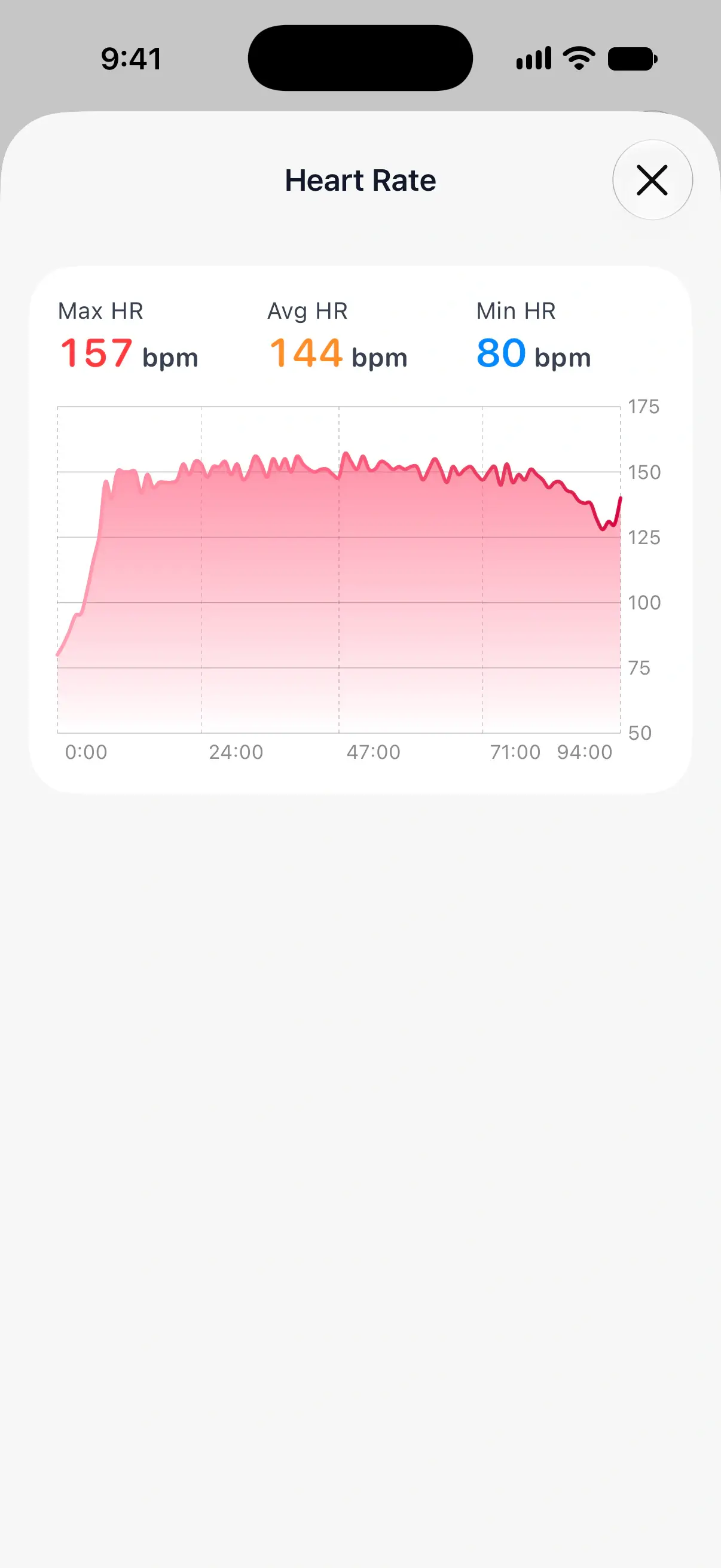
- Tap Heart Rate for the full chart, with your maximum, average and minimum.
Questions and answers
Does a PadelMax workout count toward my Activity rings?
Yes. PadelMax saves the match to Apple Health as a workout, so its calories and exercise time count toward your rings like any other workout.
Can I use Apple's Workout app and PadelMax at the same time?
No. Apple Watch runs one workout at a time. Either turn on Record Workout in PadelMax, or leave it off and start a workout in Apple's Workout app instead.
Why is there no heart rate for my match?
Heart rate is recorded only when Record Workout is on and PadelMax has access to Apple Health. Check the switch before you start, and give PadelMax access in the Health app on your iPhone.
Which workout type does PadelMax use in Apple Health?
Other, or Tennis if you prefer. Change it in PadelMax on your iPhone under Settings, then Workout Type.
Related
- How to keep score of a padel match on Apple Watch Start a match in PadelMax on Apple Watch, pick the rules and the first server, tap to score each point, undo a mistake and end the match.
- Understand your match statistics What each statistic on a PadelMax match page means, from points won and break points to close games, serve points, score difference and mistakes.
- Padel statistics and match insights See every padel match in detail: points won, golden and break points, mistakes, heart rate at each point, and your win rate and trends over time.