
Share a match with other Apple Watches
Share a padel match live from your Apple Watch with a code. Teammates and opponents follow the score on their own watches and record their own workouts.
PadelMax can share a match live between Apple Watches. One watch keeps the score and shares the match with a code. Anyone on court with an Apple Watch, on your team or the other, joins it and sees the same score in real time on their wrist. Each watch records its own wearer’s workout, so everyone ends up with the match and their own heart rate in their history.
Share the match
The player keeping the score, the host, starts the match as usual (see How to keep score on Apple Watch). Then:
- Swipe left from the scoreboard twice, to Share Your Match.
- Tap Share Code.
- Read the 6-digit code to the other players.
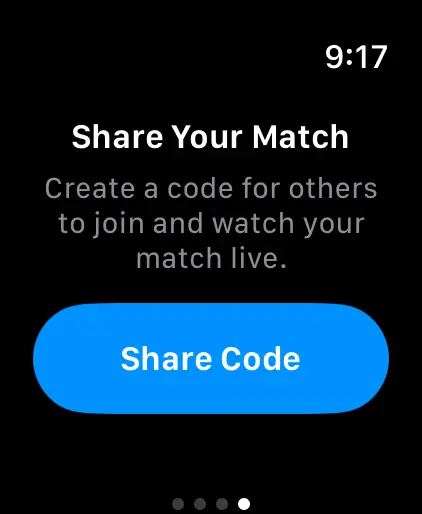
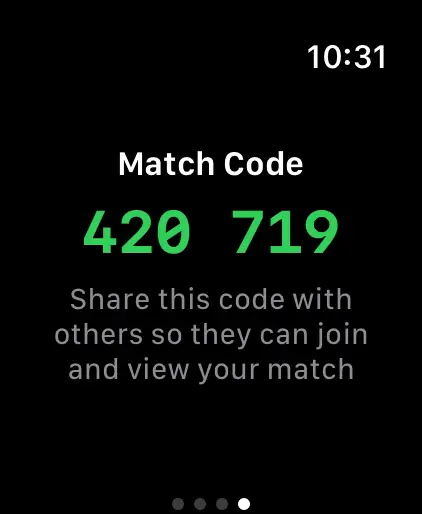
The same code also works on an iPhone, iPad or web browser, for anyone watching from the side of the court. See Follow a padel match live.
Join from another watch
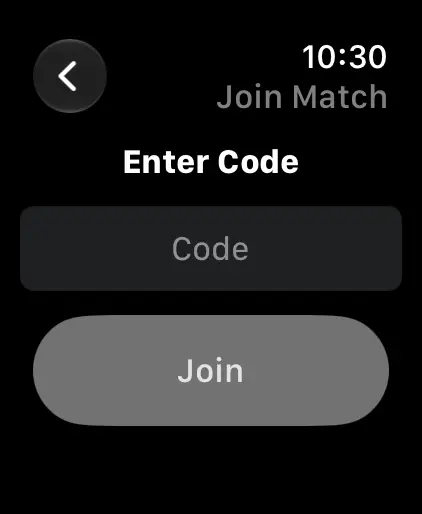
- Open PadelMax on your Apple Watch and tap Join Match.
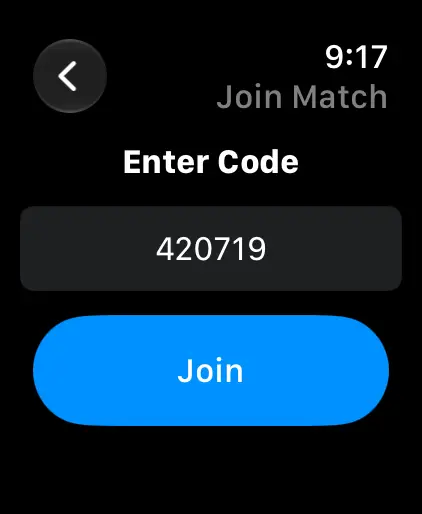
- Tap the Code field, type the 6 digits and tap Join.
- Turn on Record Workout if you want the match in Apple Health with your heart rate, then tap Next.
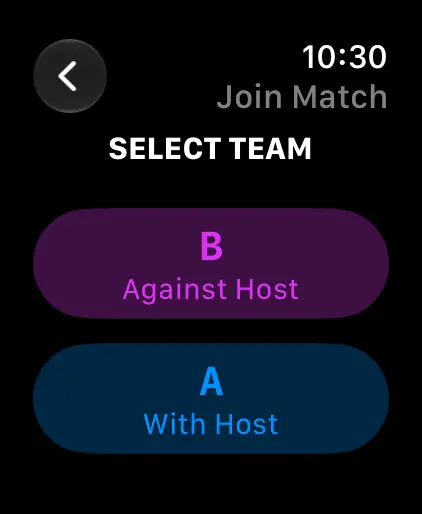
- Under Select Team, tap A With Host if you play on the host’s team, or B Against Host if you play against them.
Follow the match
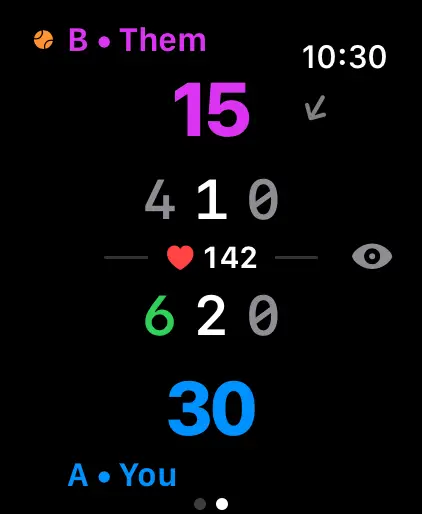
Your watch now shows the match’s scoreboard. The host’s watch keeps the score, and yours updates within a few seconds of each point.
If PadelMax closes on your watch, open it again: within an hour of leaving, it rejoins the match by itself.
Leave the match
The match ends for everyone when the host ends it. To leave earlier, swipe right from the scoreboard and tap Leave. If you recorded a workout, PadelMax asks whether to save it with the match so far or discard both.
A saved match goes to Matches on your watch and iPhone, with your workout, just like a match you scored yourself.
Questions and answers
Can both watches keep the score?
No. The watch that shared the match keeps the score, and every watch that joins it follows along. That way there's only ever one score.
Does the match appear in my history if I joined it?
Yes. The match is saved on your watch and iPhone too, with your own workout if you recorded one.
What happens if PadelMax closes on my watch?
Open it again within an hour and it rejoins the match on its own.
Why can't I join with the code?
Check that you typed the 6 digits the host's watch shows and that the host is still sharing. If PadelMax says the other watch uses a newer version, update PadelMax on your iPhone, and the watch app updates with it.
Related
- Follow a padel match live Share a match from Apple Watch and follow the live score on an iPhone, iPad or any web browser, as a full-screen scoreboard you can set up for the court.
- How to keep score of a padel match on Apple Watch Start a match in PadelMax on Apple Watch, pick the rules and the first server, tap to score each point, undo a mistake and end the match.
- Track your padel workouts on Apple Watch Record each padel match as a workout in Apple Health, with a warm-up timer, heart rate at every point, calories, distance and an effort rating.