
How to keep score of a padel match on Apple Watch
Start a match in PadelMax on Apple Watch, pick the rules and the first server, tap to score each point, undo a mistake and end the match.
PadelMax keeps the score on your Apple Watch, so you can track a whole padel match without taking your phone on court. You tap once for each point, and the watch keeps the games, sets and serve for you. Once the match is over, it’s on your iPhone with its statistics.
PadelMax needs an Apple Watch with watchOS 10 or later, paired with an iPhone with iOS 17 or later. Install the app on the iPhone, and its watch app installs with it. If it doesn’t, open the Watch app on your iPhone, scroll down to Available Apps and tap Install next to PadelMax.
Start a match
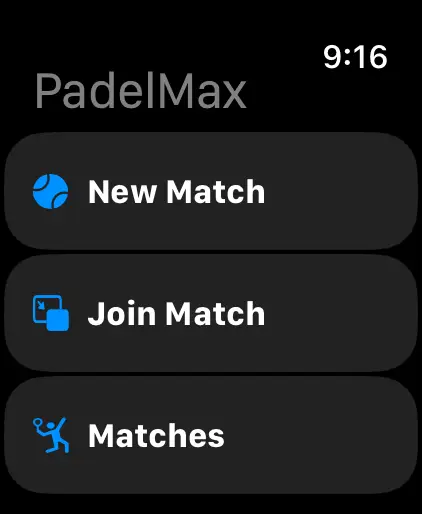
- Open PadelMax on your Apple Watch and tap New Match.
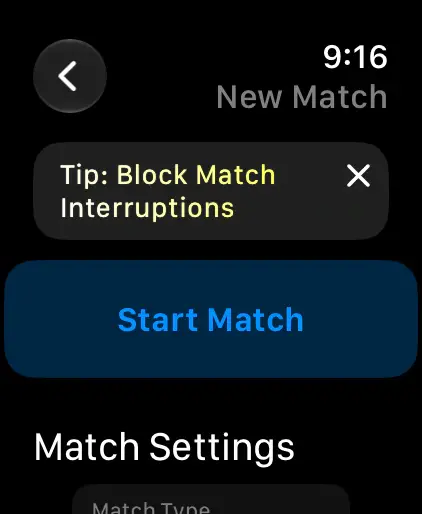
- Check the rules under Match Settings. The watch remembers the settings of your last match, so you usually only set them once.
- Tap Start Match.
Choose the rules
Scroll down to Match Settings before you tap Start Match:
- Match Type: Classic counts 15-30-40 with games and sets. Point-by-Point counts 1, 2, 3… in rounds, as in Americano.
- 40-40 rule: Advantage, Golden Point, One Advantage, which plays one advantage and then a golden point, or Star Point, which plays two advantages and then a golden point.
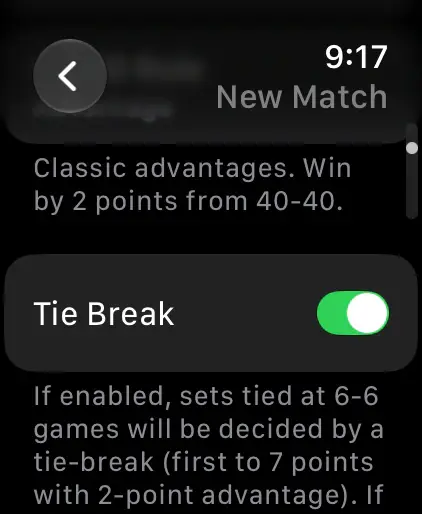
- Tie Break: with it on, a set at 6-6 is decided by a tie-break to 7 points. With it off, the set goes on until a team leads by 2 games.
- Sets: best of 3, a fixed number from 1 to 6, or unlimited. You can also play a Pro Set to 9 games, or a super tie-break to 10 instead of the third set.
- Simplified Scoring: one tap wins the whole game, for when you only want to count games.
- Team Colors: your team’s and the opponents’ colors on the scoreboard.
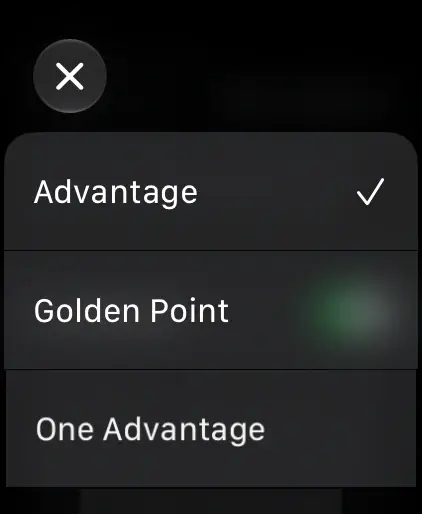
Record the workout and pick the server
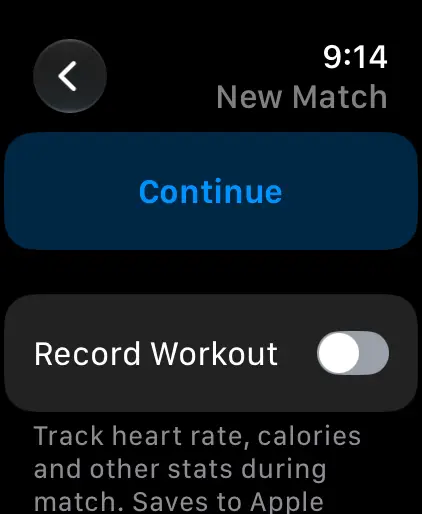
If Record Workout is off in Match Settings, PadelMax then asks whether to record the match as a workout. Turn on Record Workout to save the match to Apple Health with its heart rate, calories and distance, then tap Continue.
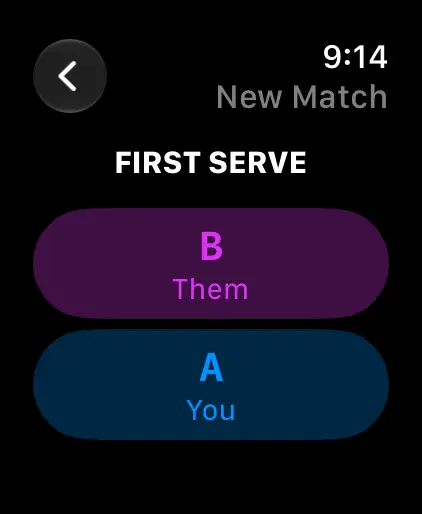
Then tap the team that serves first under First Serve. PadelMax rotates the server from there, and an arrow on the scoreboard shows which side to serve from.
Score each point
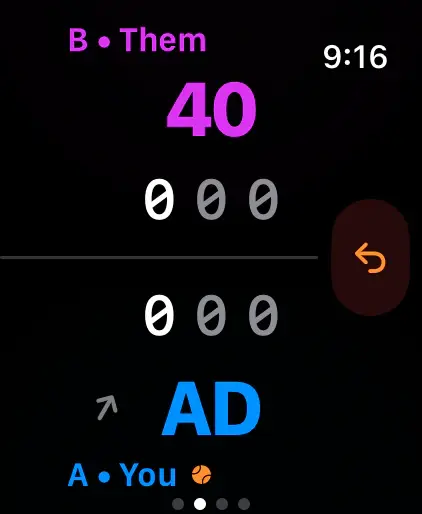
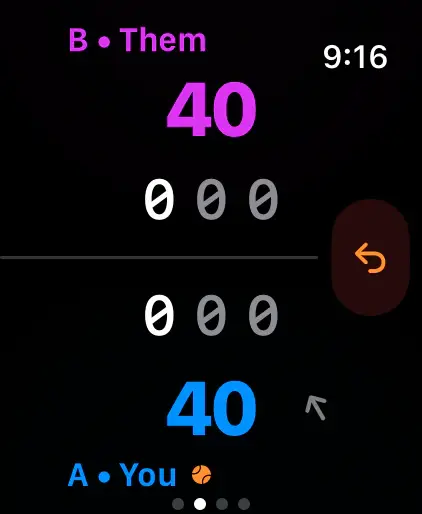
The scoreboard shows the opponents, B, at the top and your team, A, at the bottom, with the points in large numbers and a column for each set between them.
- Your point: tap the bottom half of the screen.
- Their point: tap the top half of the screen.
- Undo: tap the orange arrow at the right. Undo has no limit.
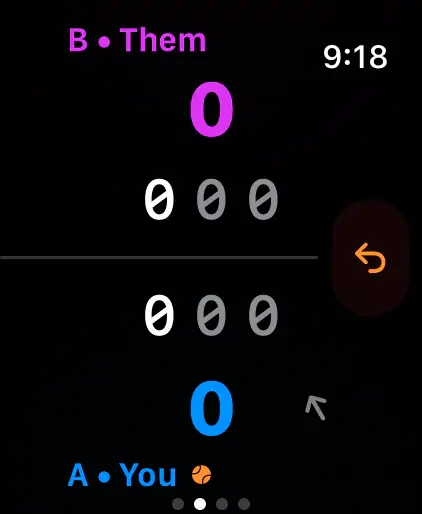
The scoreboard follows the rules you chose: it shows AD for an advantage, glows at a golden point and shows a Tie Break badge in a tie-break.
End the match
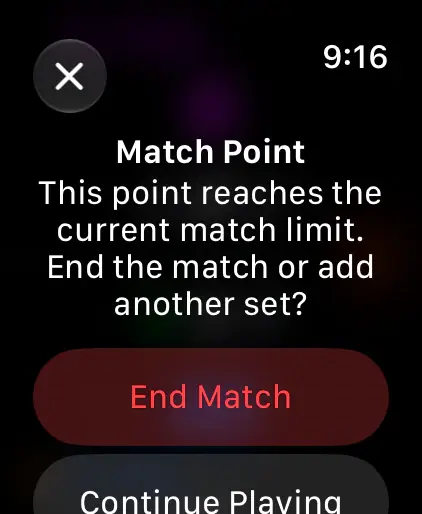
When a point would win the match, PadelMax asks first: tap End Match to finish, or Continue Playing to play another set. The results screen then shows the score of each set, and Done saves the match.
To stop a match early, swipe right from the scoreboard and tap End.
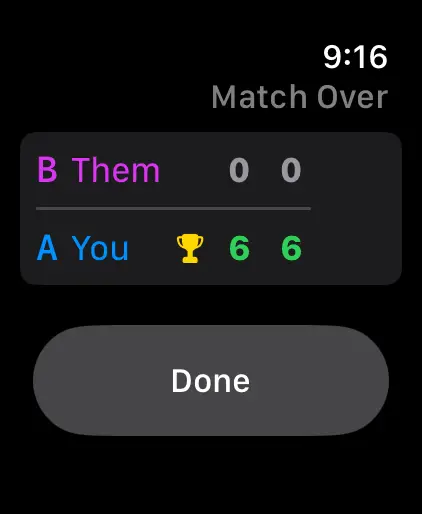
The match is then in Matches on the watch and on your iPhone, with the score of every game, the points won, streaks and heart rate at each point.
Questions and answers
Which half of the screen gives my team the point?
The bottom half. Tap the bottom half of the scoring screen for your point and the top half for the opponents' point. Your team is A, at the bottom, and the opponents are B, at the top.
How do I fix a point I gave by mistake?
Tap the orange undo button at the right of the scoring screen. Undo has no limit, so you can step back as many points as you need.
Do I need my iPhone on court?
No. PadelMax keeps the score on the watch, and the match appears on your iPhone once the watch syncs with it.
What happens if the app closes during a match?
The next time you open PadelMax on the watch, it asks whether to continue the unfinished match or discard it.
Related
- Padel scoring on Apple Watch Keep the score of padel matches on your Apple Watch: tap to score, golden point, Star Point, tie-breaks and Americano, with workouts and live sharing.
- Padel statistics and match insights See every padel match in detail: points won, golden and break points, mistakes, heart rate at each point, and your win rate and trends over time.