
Follow a padel match live
Share a match from Apple Watch and follow the live score on an iPhone, iPad or any web browser, as a full-screen scoreboard you can set up for the court.
Friends at the side of the court, a coach, or family at home can follow your match as you play it. Your Apple Watch shares the match with a code, and the score shows up on any phone, tablet or computer, as a scoreboard big enough to read from across the court.
Share the match from your watch
Start the match on your Apple Watch as usual (see How to keep score on Apple Watch). Then:
- Swipe left from the scoreboard twice, to Share Your Match.
- Tap Share Code.
- Give the 6-digit code to whoever wants to watch.
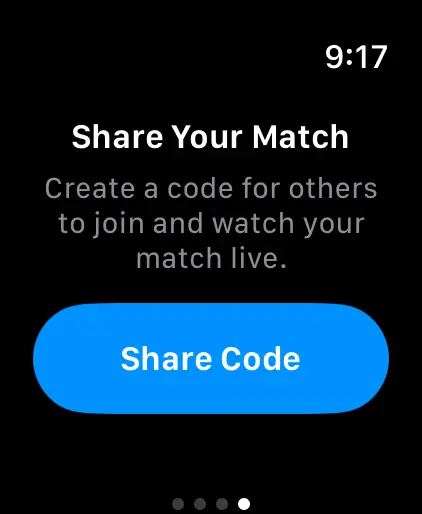
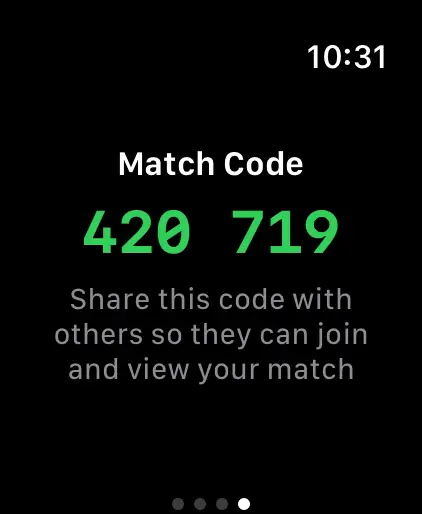
Keep scoring as you normally would. The shared score updates within a few seconds of each point. Other players can also follow it on their own watches: see Share a match with other Apple Watches.
Watch on iPhone or iPad
- Open PadelMax and go to Home.
- Type the code under Join Live Match and tap Join.
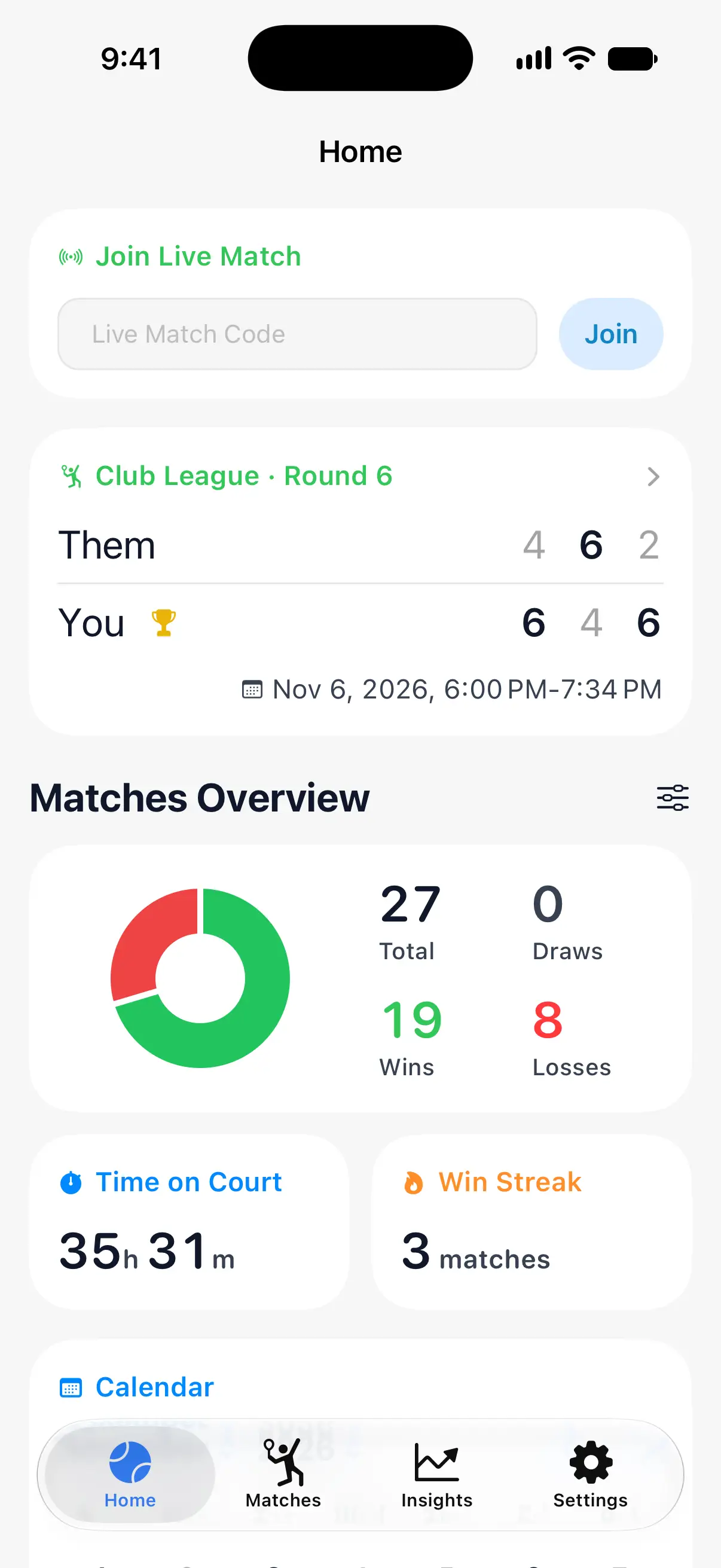
The scoreboard fills the screen, with the points in large numbers and the games of each set between them. Turn the phone or tablet on its side for a wider scoreboard. The screen stays on as long as the scoreboard is open.
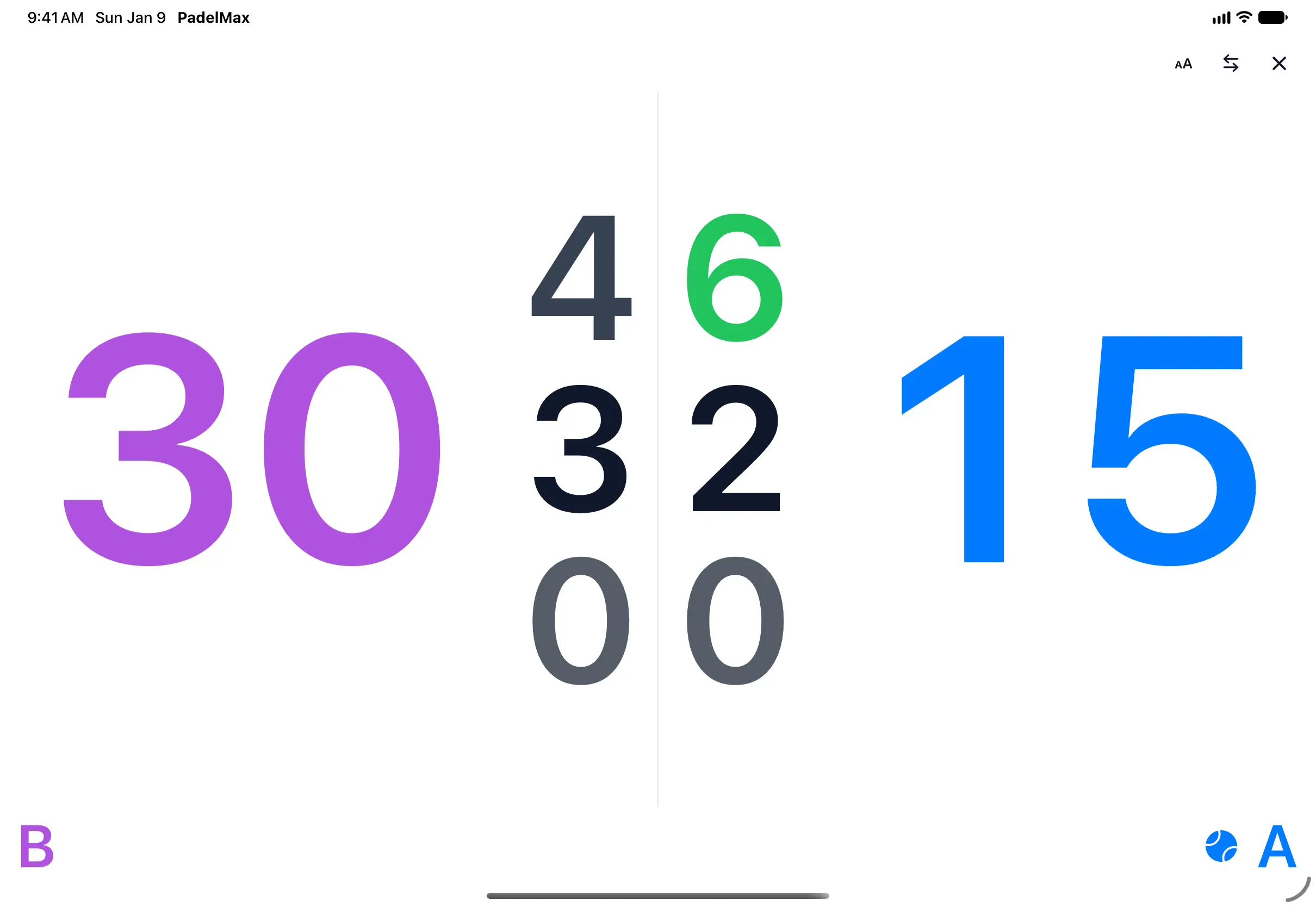

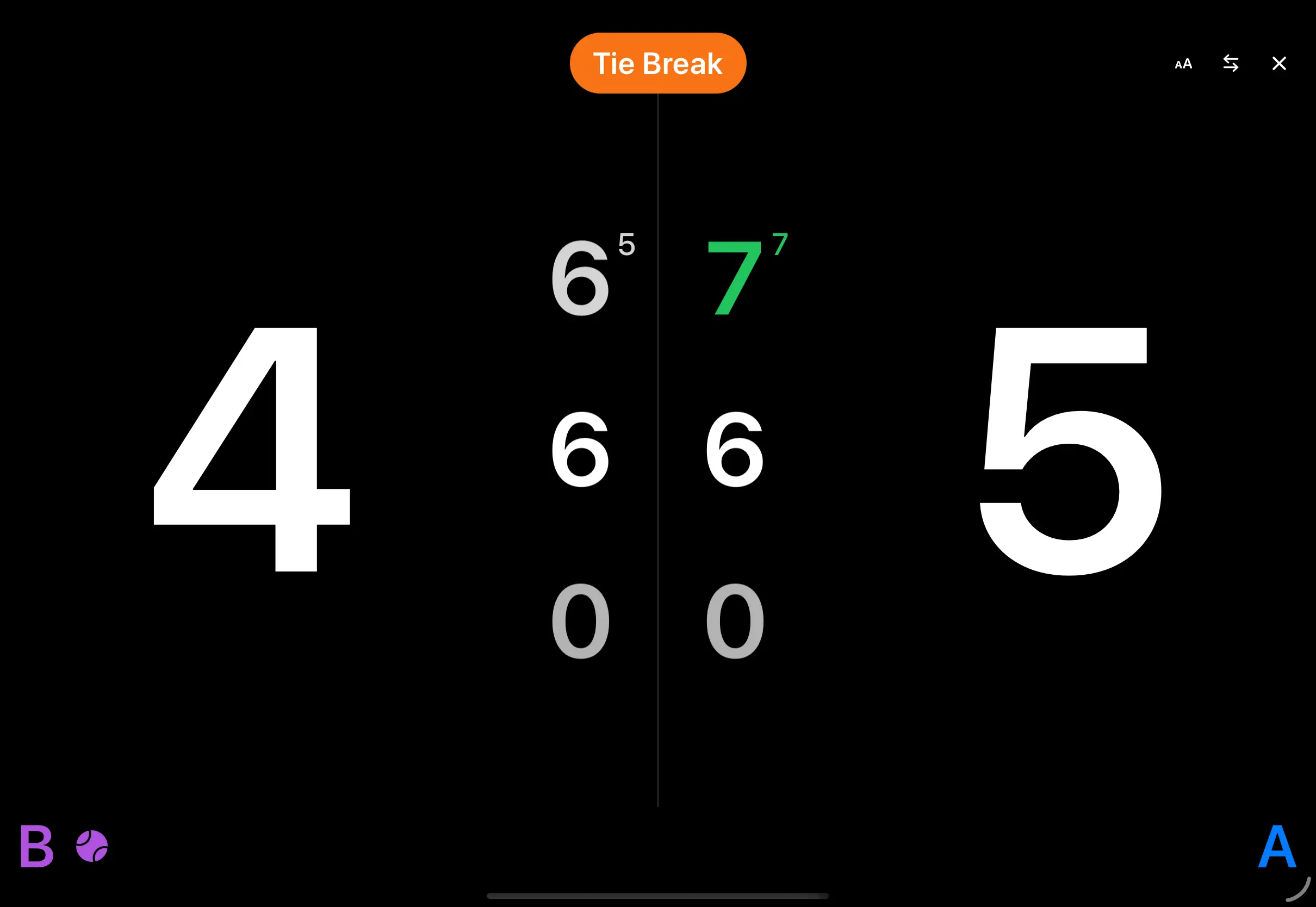
The scoreboard follows the rules of the match: AD for an advantage, a Tie Break badge in a tie-break, round numbers in Americano, and Final when the match is over. Tap the arrows at the top to swap sides, so each team is on the same side as on court.
Set up the scoreboard for the court
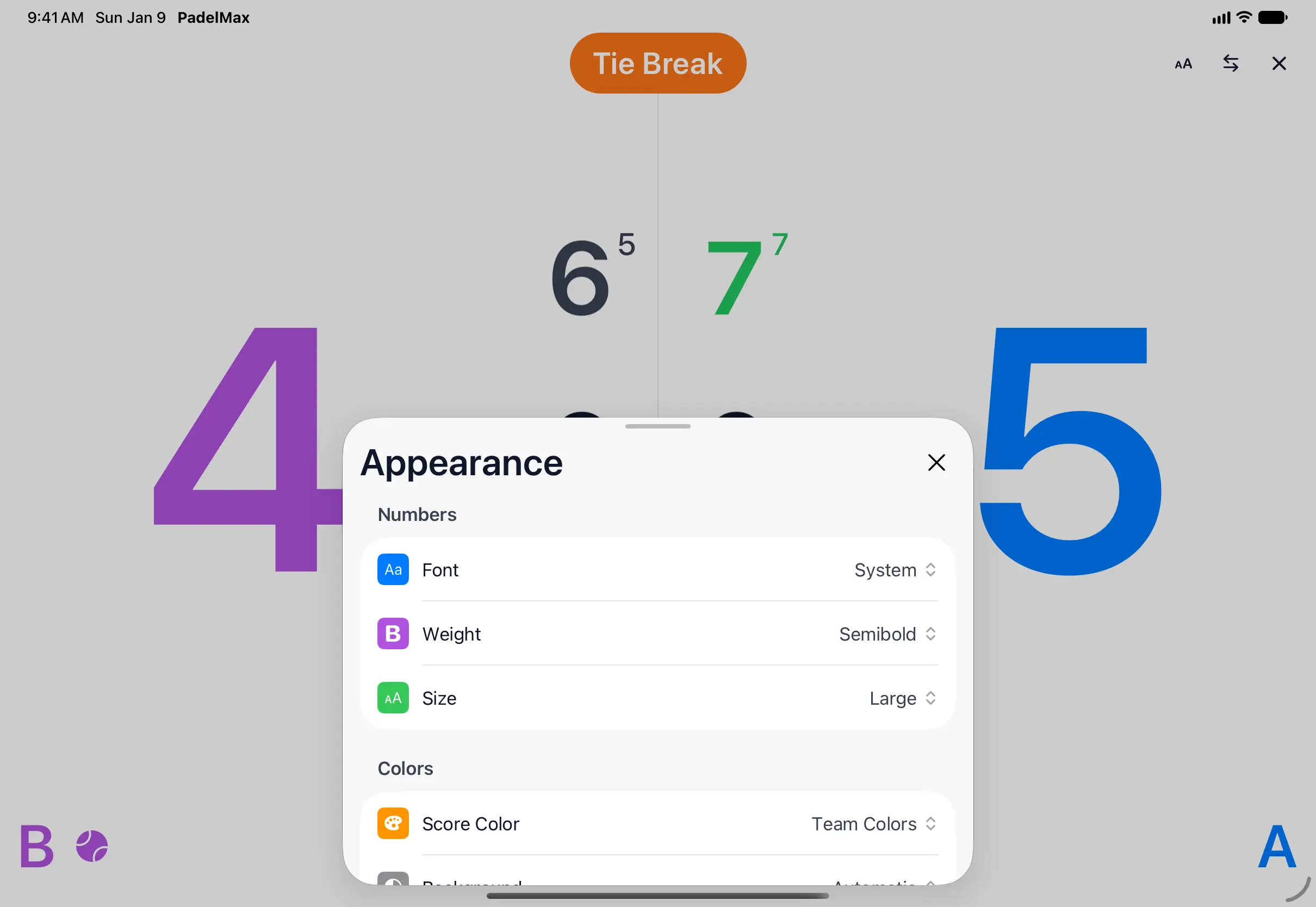
Tap Appearance at the top of the scoreboard (the AA button) to change how it looks:
- Font: System, Rounded, Condensed or Monospaced, with its Weight and Size.
- Score Color: Team Colors, or Plain numbers.
- Background: Automatic, which follows light and dark mode, Black or White.
- Under Show: turn off Set Scores, Team Labels, Serving Team or Tie-Break and Final Badges for a cleaner scoreboard.
Reset to Defaults brings back the original look.
Watch in a web browser
No PadelMax? Open padelmax.app/live in any browser, on a phone, tablet or computer, type the 6-digit code and tap Join Match. The scoreboard updates live, just like in the app. On a computer connected to a TV, it puts the match on the big screen.
Questions and answers
Does the person watching need PadelMax?
No. Anyone can follow the match in a web browser at padelmax.app/live.
How fast does the score update?
Within a few seconds of each point. The scoreboard updates on its own, so there's nothing to refresh.
Can I show the score on a TV?
Yes. Open padelmax.app/live on a computer connected to the TV, or mirror an iPhone or iPad running the scoreboard in landscape.
What happens when the match ends?
The scoreboard shows the final score with a Final badge, and the code stops working.
Related
- Share a match with other Apple Watches Share a padel match live from your Apple Watch with a code. Teammates and opponents follow the score on their own watches and record their own workouts.
- How to keep score of a padel match on Apple Watch Start a match in PadelMax on Apple Watch, pick the rules and the first server, tap to score each point, undo a mistake and end the match.
- Padel scoring on Apple Watch Keep the score of padel matches on your Apple Watch: tap to score, golden point, Star Point, tie-breaks and Americano, with workouts and live sharing.