
Set up a match on Apple Watch
Pick the scoring rules for your padel match on Apple Watch, from golden point and Star Point to tie-breaks, Pro Set, super tie-break and Americano rounds.
Clubs, leagues and friends all play padel a little differently: golden point or advantages, a tie-break or a super tie-break, three sets or a Pro Set, or Americano rounds. PadelMax handles each of them, and you set it up once on your watch. The next match starts with the same settings, so most days you just tap Start Match.
Open the match settings
Open PadelMax on your Apple Watch, tap New Match and scroll down to Match Settings. Everything in this guide is in that list. When you’re done, scroll back up and tap Start Match.


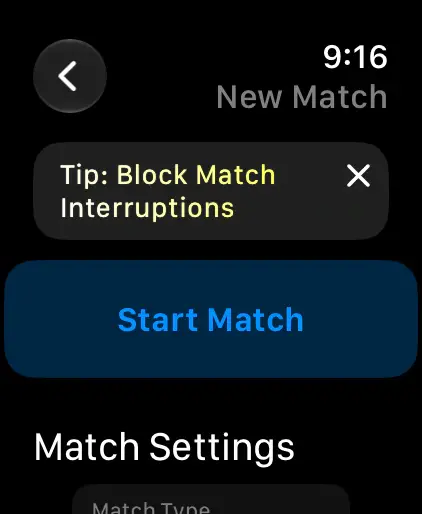
Classic or Point-by-Point
Match Type is the first choice, and it decides which other settings you see:
- Classic: traditional padel scoring, 15-30-40, with games and sets.
- Point-by-Point: simple 1, 2, 3… scoring in rounds, for Americano, Mexicano and short games when court time is limited. See Americano and other point-by-point games below.
Choose what happens at 40-40
The 40-40 Rule decides how a game ends after deuce:
- Advantage: classic advantages. A team needs to win 2 points in a row from 40-40.
- Golden Point: no advantage. At 40-40, the next point wins the game.
- One Advantage: one advantage is played. If the game comes back to 40-40, the next point wins.
- Star Point: up to two advantages are played. At the third deuce, the next point wins. It’s the rule introduced for professional padel in 2026.

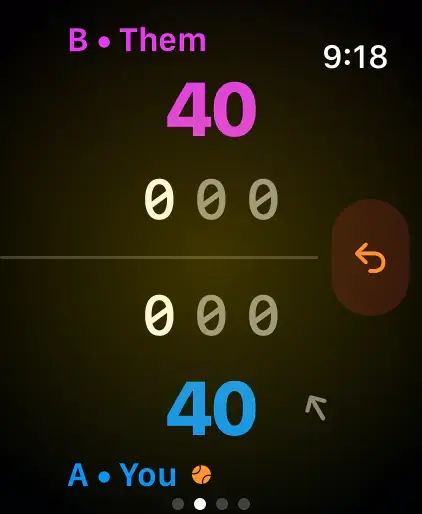
During the match, the scoreboard shows AD for an advantage and glows when the next point decides the game. With One Advantage and Star Point, it also counts the advantages played.
Not sure which to pick? Read what the golden point is and how the Star Point works.
Tie-breaks and sets
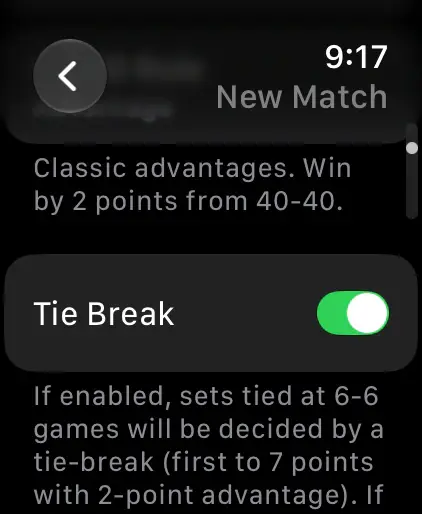
- Tie Break: with it on, a set tied at 6-6 is decided by a tie-break: first to 7 points, by 2. With it off, the set goes on until a team leads by 2 games.
- Sets to Play: Best of 3, an exact number from 1 to 6 sets, or Unlimited, which keeps going until you end the match.
- Pro Set: a single set to 9 games, with a tie-break at 8-8. It overrides Sets to Play, and your set choice comes back when you turn it off.
- Super Tie Break: at one set all, a super tie-break to 10 points replaces the third set. It’s available for Best of 3 and exactly three sets.
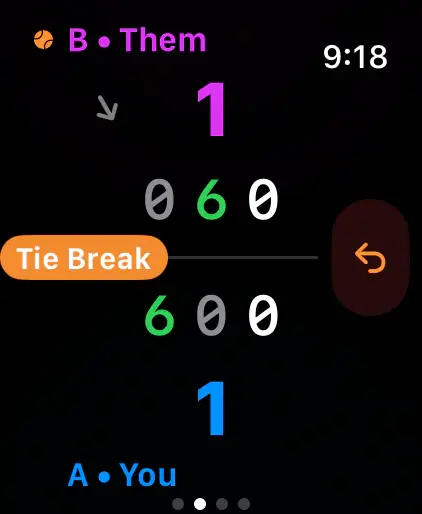
If a point would win the match, PadelMax asks first, so you can keep playing for one more set when you have court time left.
Simplified Scoring
Only want to count games? Turn on Simplified Scoring, and one tap wins the whole game. You won’t get point-by-point statistics for the match, but it’s the fastest way to keep track of a casual game.

Americano and other point-by-point games
With Point-by-Point as the Match Type, you get two settings of your own:
- Server Change: the server changes every 2, 4, 6 or 8 points, or a Custom number.
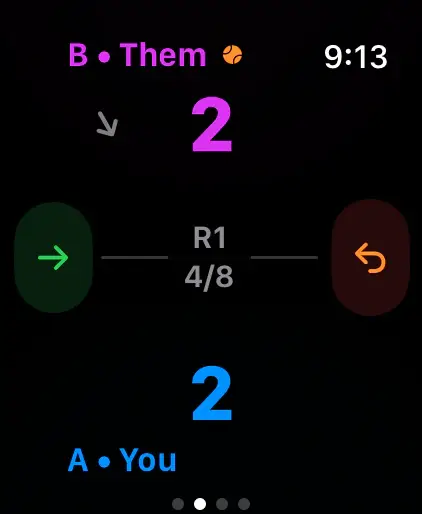
- Points: the limit for each round. No limit, a total such as Total 24 (8 to 40 points, or custom), or First to a target such as First to 11 (5 to 21, or custom), where the round ends when one team reaches it.
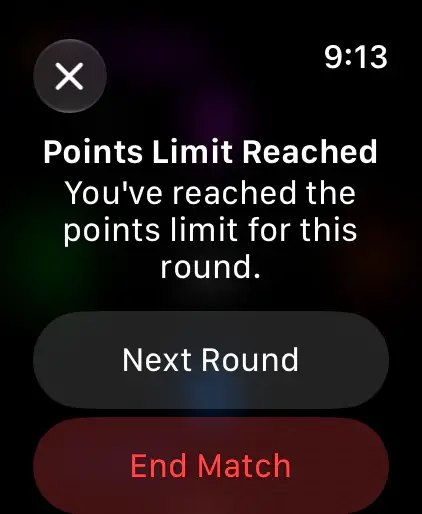
When a round reaches its limit, PadelMax offers Next Round or End Match. Swipe right from the scoreboard for Results, the score of every round so far, and to change the points limit mid-match.
Training, workout and team colors
The last settings apply to every match type:
- Training: training matches don’t count toward your wins, losses and streaks.
- Record Workout and Warm-up: save the match to Apple Health and warm up first. See Track your padel workouts on Apple Watch.
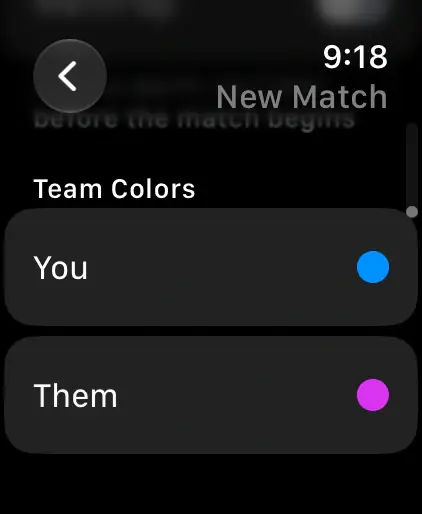
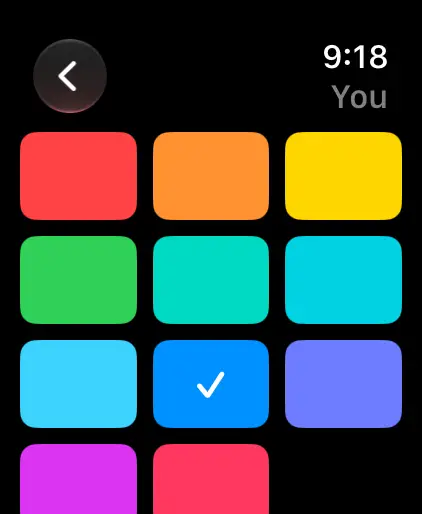
- Team Colors: pick a color for You and Them from 11. The colors follow the match to your iPhone and the live scoreboard.
Who serves
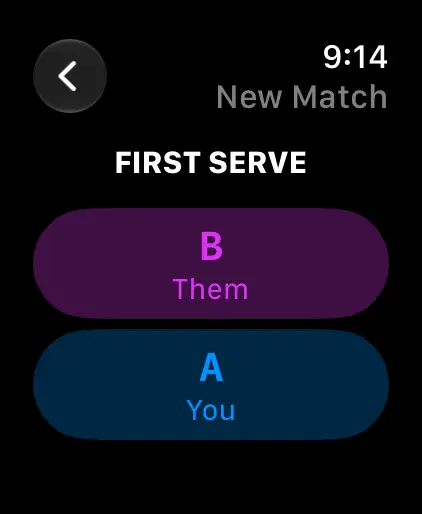
After Start Match, tap the team that serves first. PadelMax rotates the serve from there, and an arrow on the scoreboard shows the side to serve from.
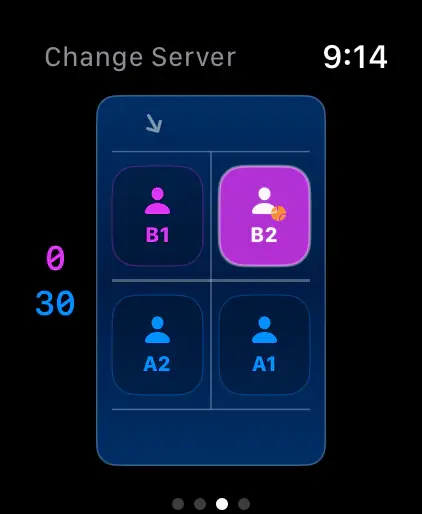
If the serve gets out of order, swipe left from the scoreboard to Change Server and tap the player who’s serving now.
Questions and answers
Do I have to set the rules before every match?
No. The watch remembers the settings of your last match. The rules you chose when you first set up PadelMax on your iPhone are its starting point.
What's the difference between Golden Point and Star Point?
With Golden Point, the next point at 40-40 wins the game. With Star Point, you play up to two advantages, and if the game comes back to deuce a third time, the next point wins.
Can I keep score of an Americano?
Yes. Choose Point-by-Point as the Match Type. PadelMax counts 1, 2, 3… in rounds, with a points limit per round and the serve changing every few points.
Can I fix who's serving during a match?
Yes. Swipe left from the scoreboard to Change Server and tap the player who serves.
Related
- How to keep score of a padel match on Apple Watch Start a match in PadelMax on Apple Watch, pick the rules and the first server, tap to score each point, undo a mistake and end the match.
- Track your padel workouts on Apple Watch Record each padel match as a workout in Apple Health, with a warm-up timer, heart rate at every point, calories, distance and an effort rating.
- Padel scoring on Apple Watch Keep the score of padel matches on your Apple Watch: tap to score, golden point, Star Point, tie-breaks and Americano, with workouts and live sharing.