
Understand your match statistics
What each statistic on a PadelMax match page means, from points won and break points to close games, serve points, score difference and mistakes.
Every match you score on your Apple Watch arrives on your iPhone with the full story: who won each point, when, and on whose serve. PadelMax turns that into statistics that show more than the final score: which games were close, how you did on the big points, and whether you faded in the third set.
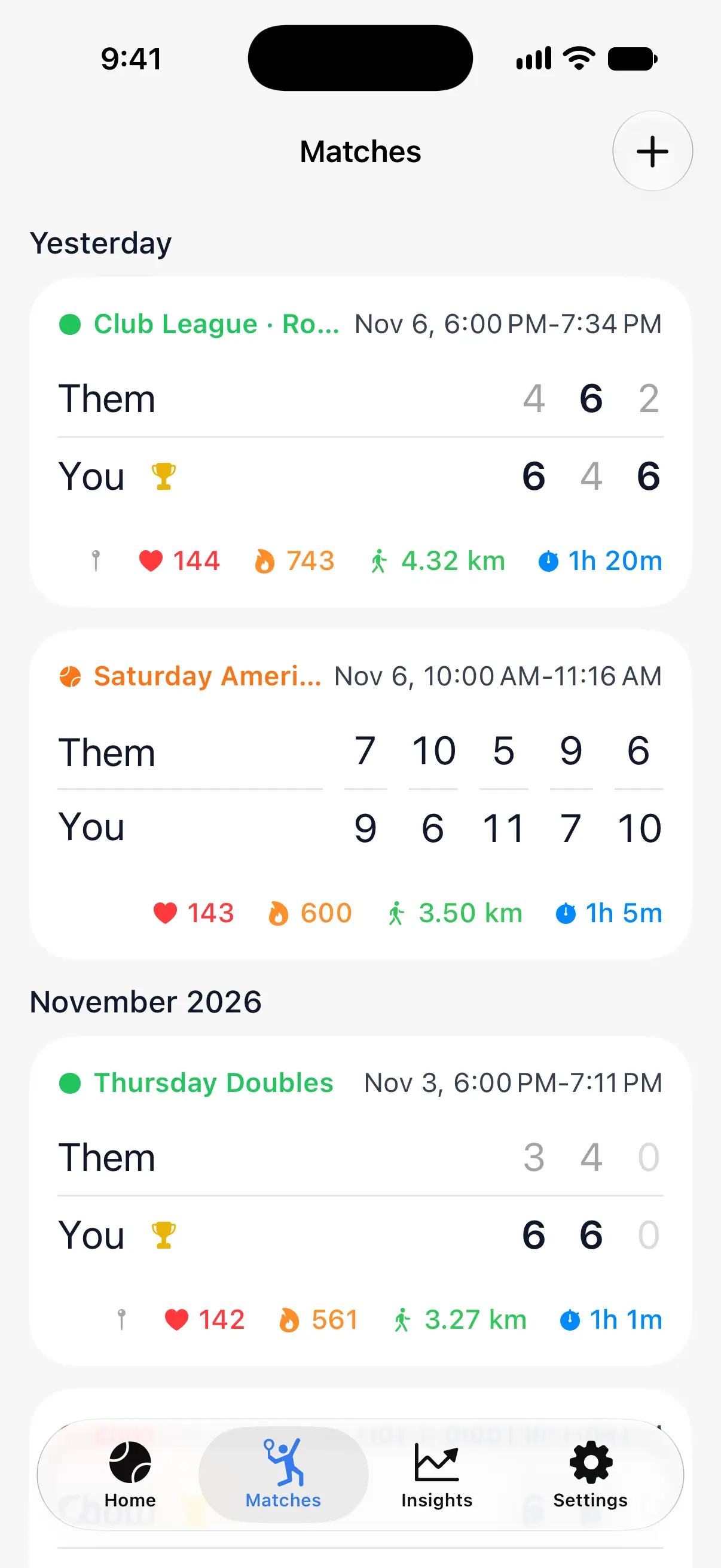
Open a match
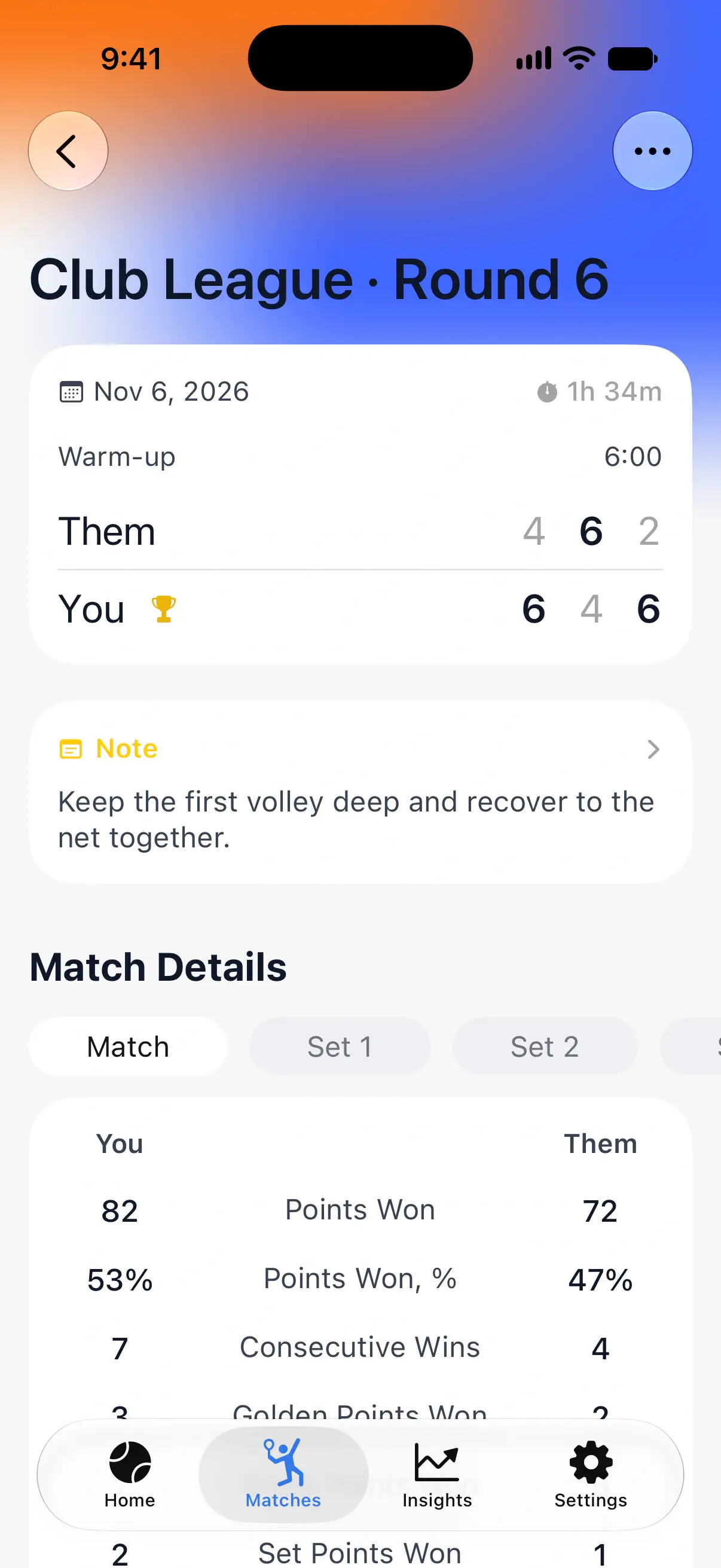
Open the Matches tab and tap a match. At the top of its page are the score of each set, the date, the duration and, if you warmed up, the warm-up time. Your note for the match is under the score.

Points and streaks
Match Details compares your team with the opponents. Tap Match for the whole match, or a set to see that set only.
- Points Won and Points Won, %: your share of all the points played. Above 50% usually means you were the stronger team, even in a match you lost.
- Consecutive Wins: your longest run of points in a row.
- Golden Points Won: deciding points at 40-40 that you won, with Golden Point, One Advantage or Star Point.
- Break Points Won: points that won a game on the opponents’ serve.
- Set Points Won and Match Points Won: points that closed out a set or the match.
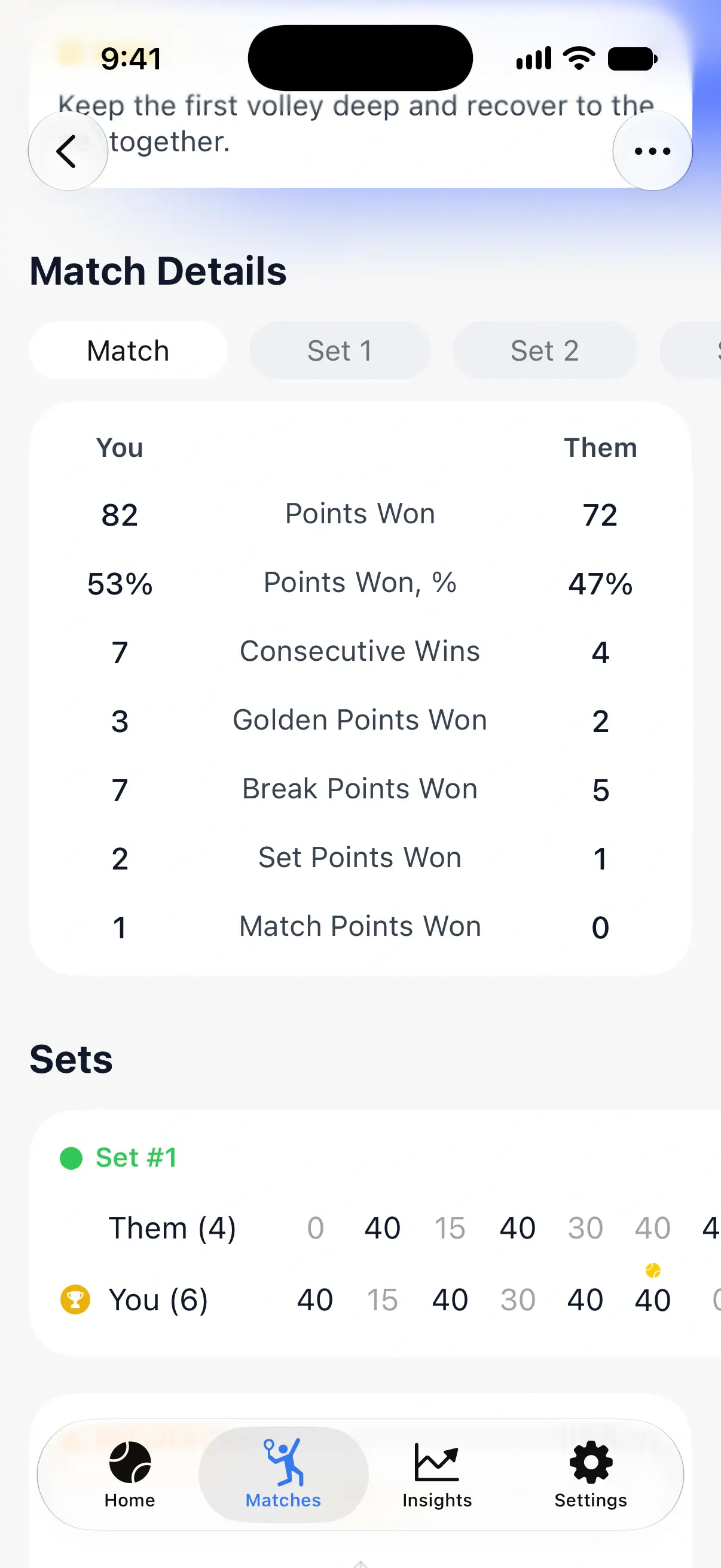
Every game of every set
Sets lists every game of each set with the score it ended at, so you can see which games you won easily and which went to 40. Markers show the games decided by a golden point and those that went to advantage.
Close games
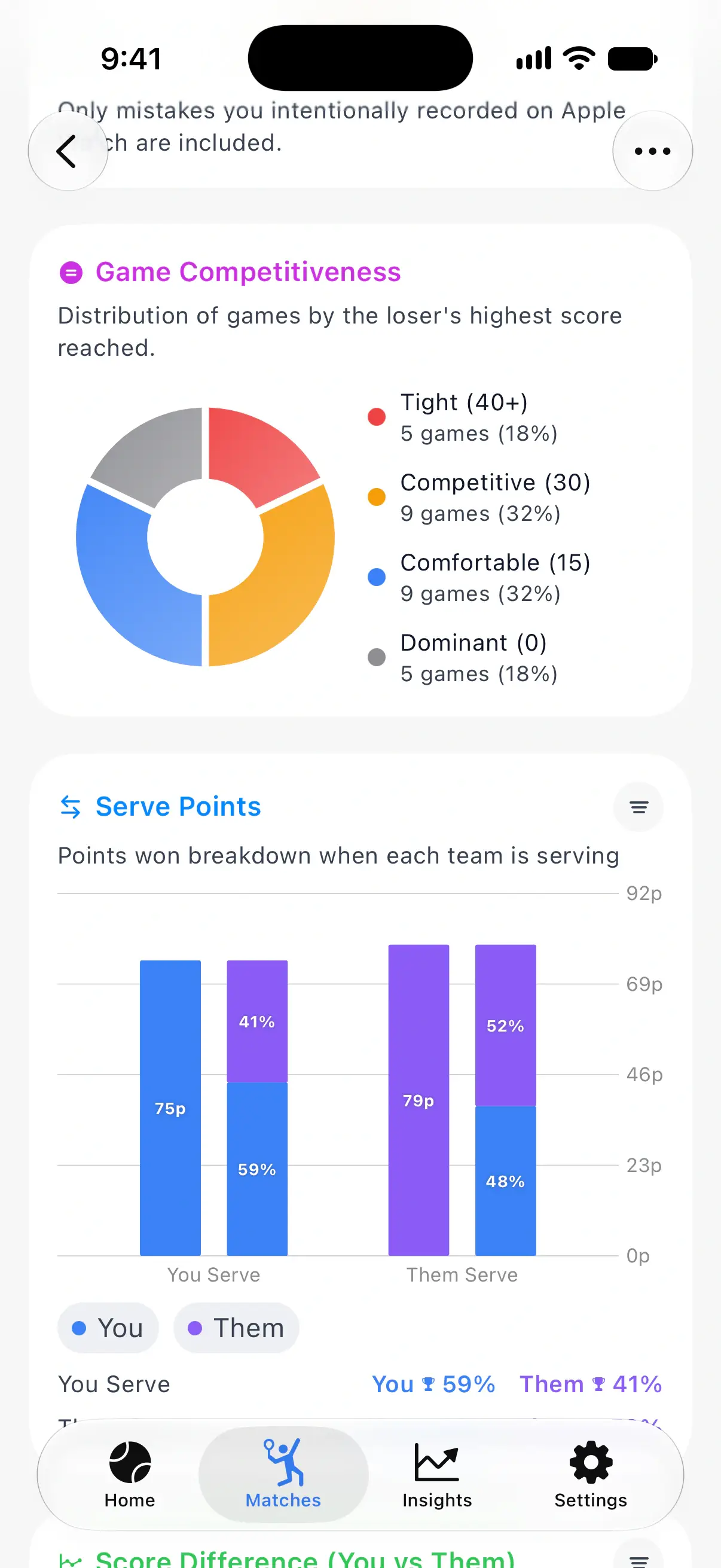
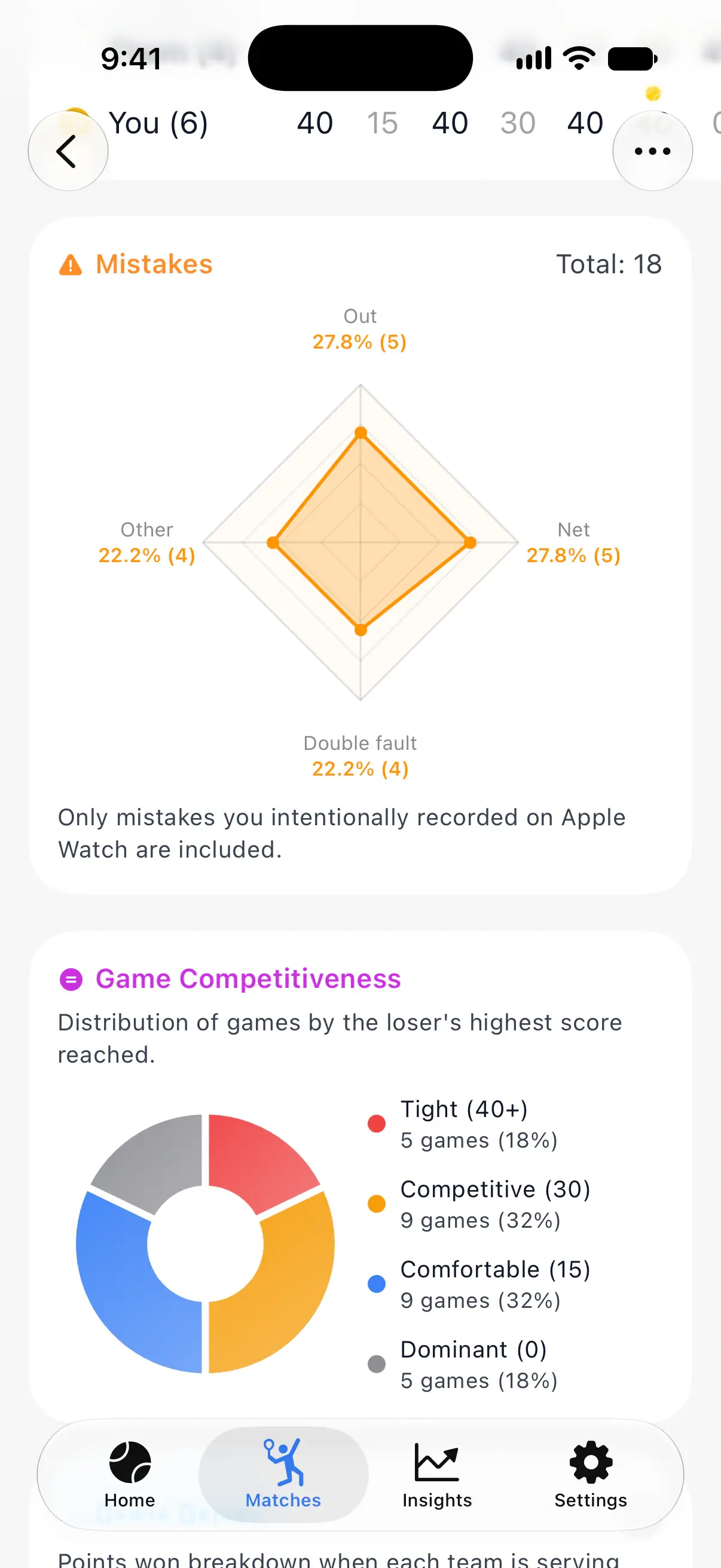
Game Competitiveness sorts the games by the losing team’s highest score:
- Tight (40+): the losers reached 40 or deuce.
- Competitive (30), Comfortable (15) and Dominant (0): the losers stopped at 30, 15 or zero.
A match with many tight games was closer than its score suggests.
Serve and return
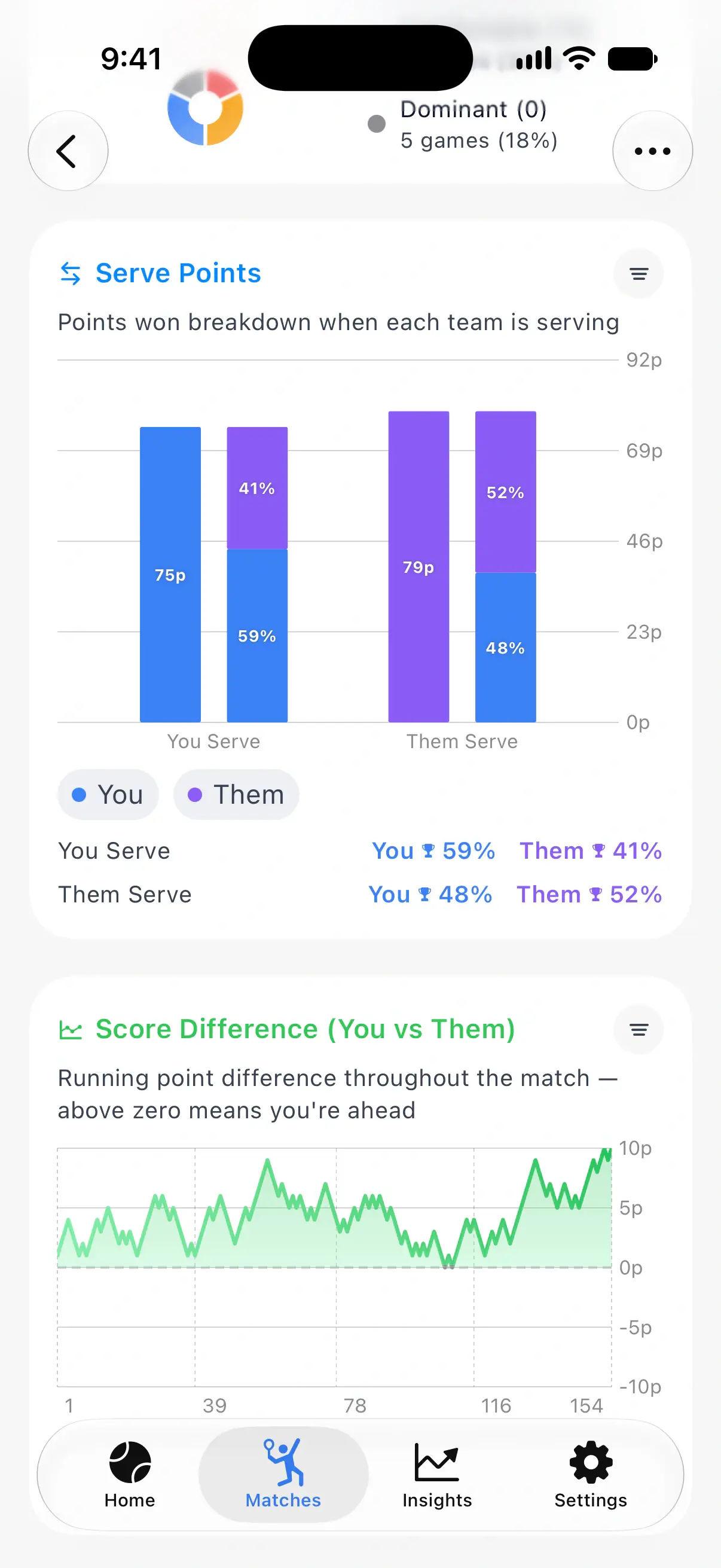
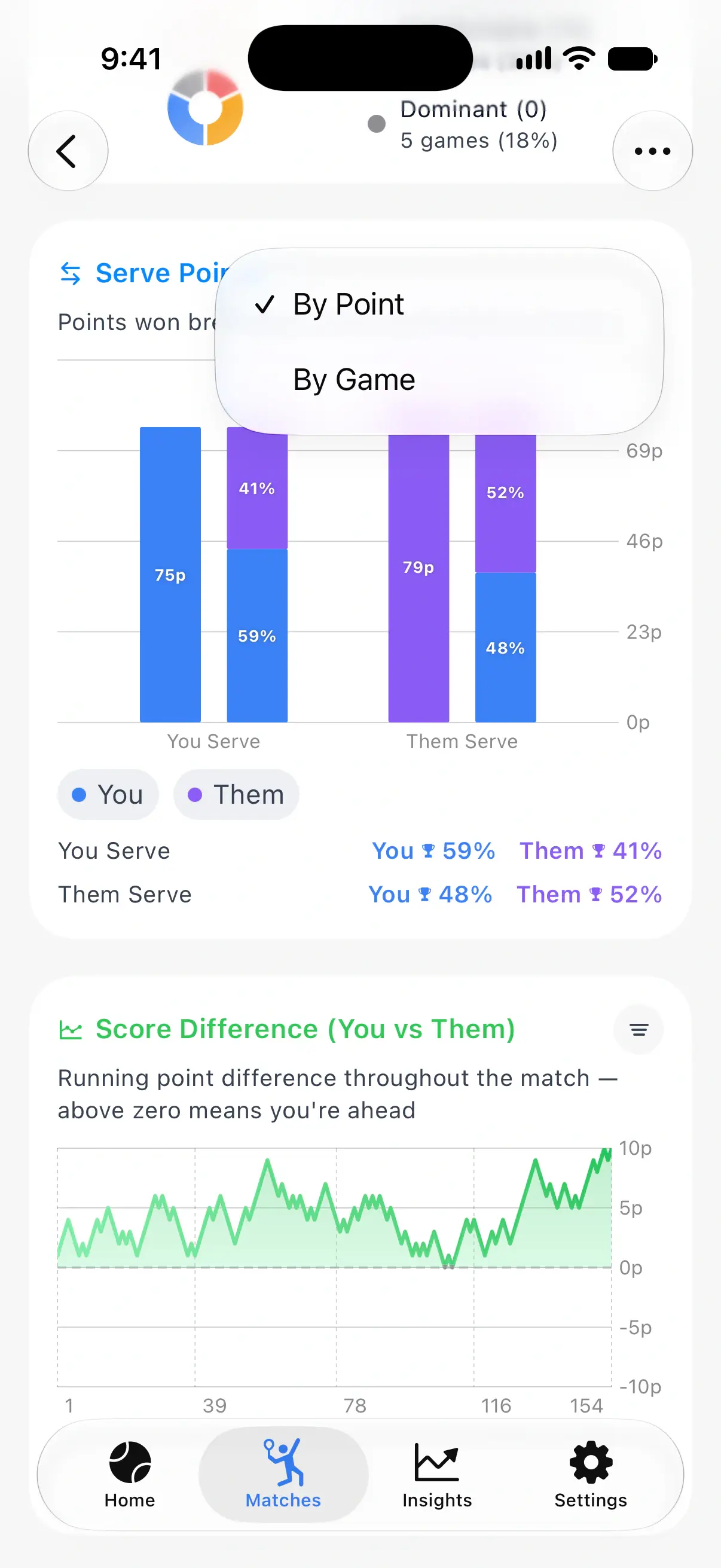
Serve Points shows the points each team won on its own serve and on the opponents’ serve: how much your serve helps you, and how well you return.
Tap By Point to switch to By Game, and the chart counts the games won on each serve instead.
How the match went
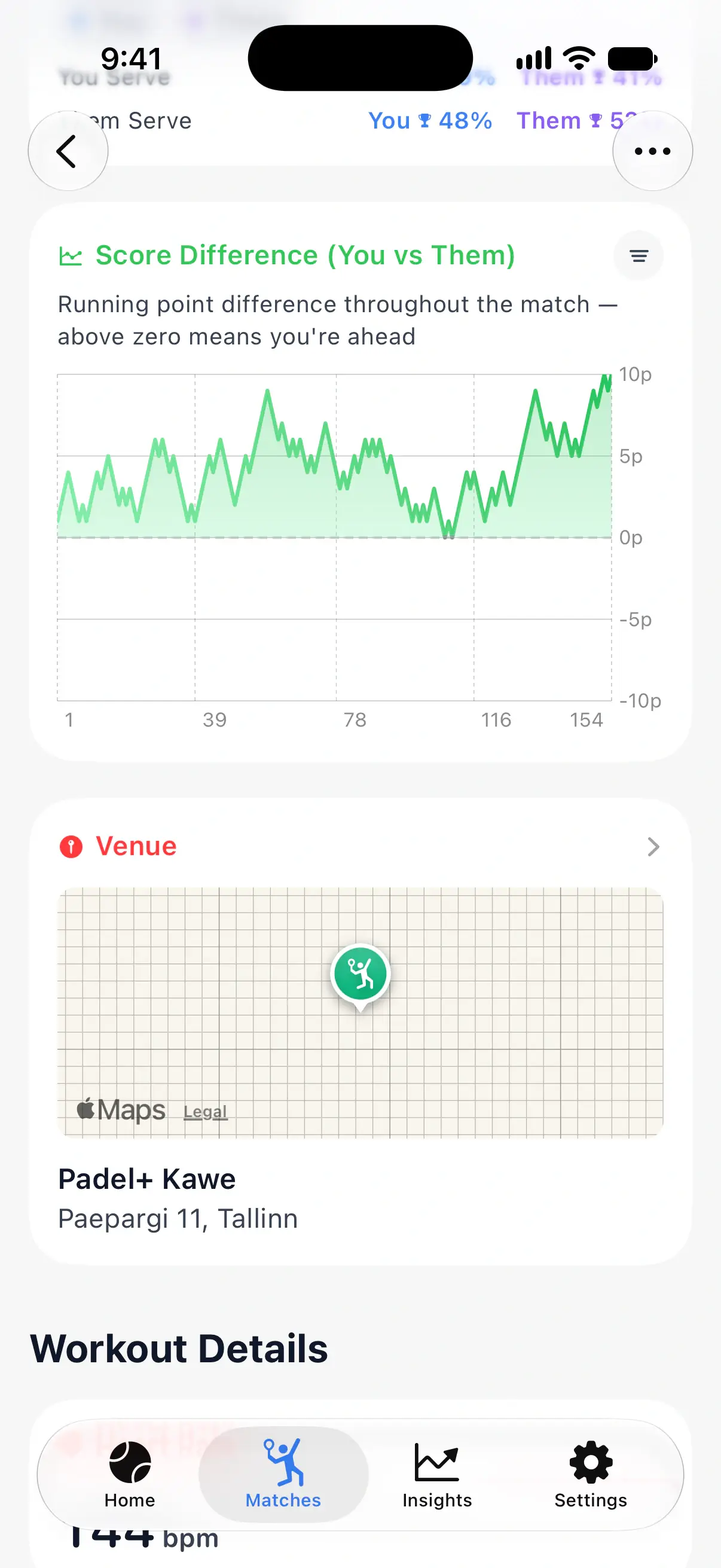
Score Difference follows the running point difference through the match. Above zero means you were ahead, below zero means the opponents were. Look for the moments the line turns: that’s where the match changed. It also has By Point and By Game.
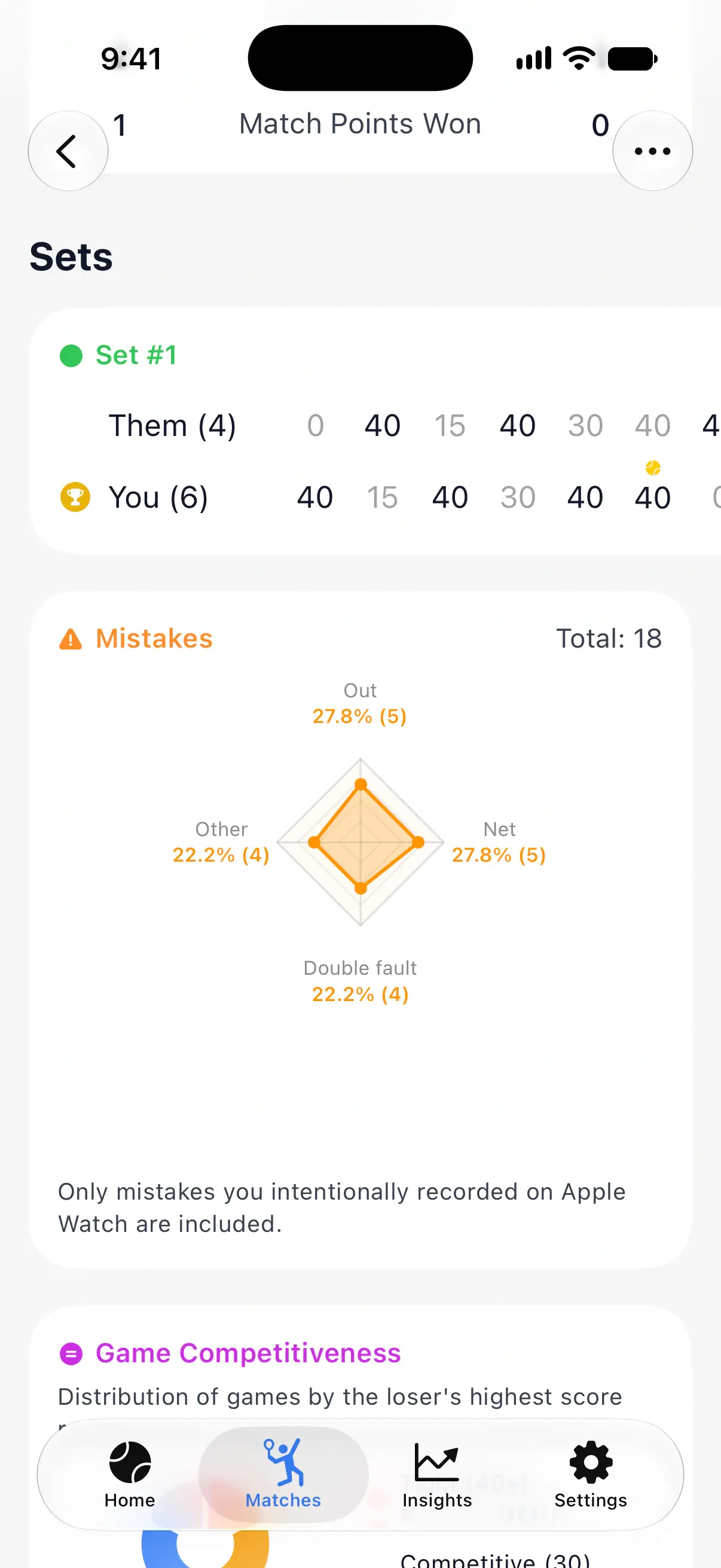
Mistakes
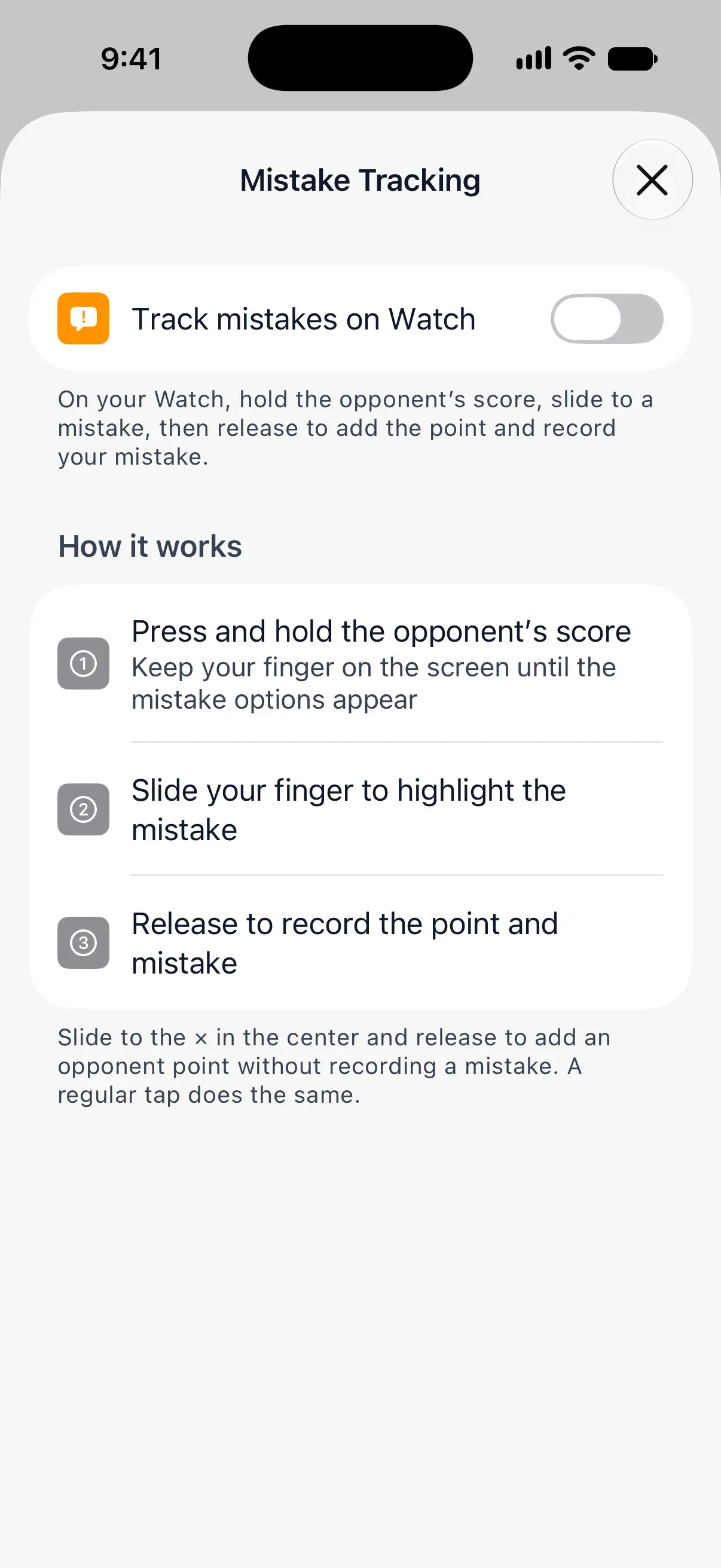
Mistakes shows your unforced errors by type: Out, Net, Double fault and Other. It only counts mistakes you recorded on your watch, so turn on mistake tracking first: in PadelMax on your iPhone, open Settings, then Mistake Tracking, and turn on Track mistakes on Watch.
To record a mistake on the watch, hold the opponents’ score, slide to the type of mistake and release. The opponents get the point and the mistake is saved with it. A regular tap still just adds the point.
Workout and heart rate
If you recorded the match as a workout, Workout Details follows with heart rate, calories, distance and your heart rate at every point. See Track your padel workouts on Apple Watch.
Americano matches
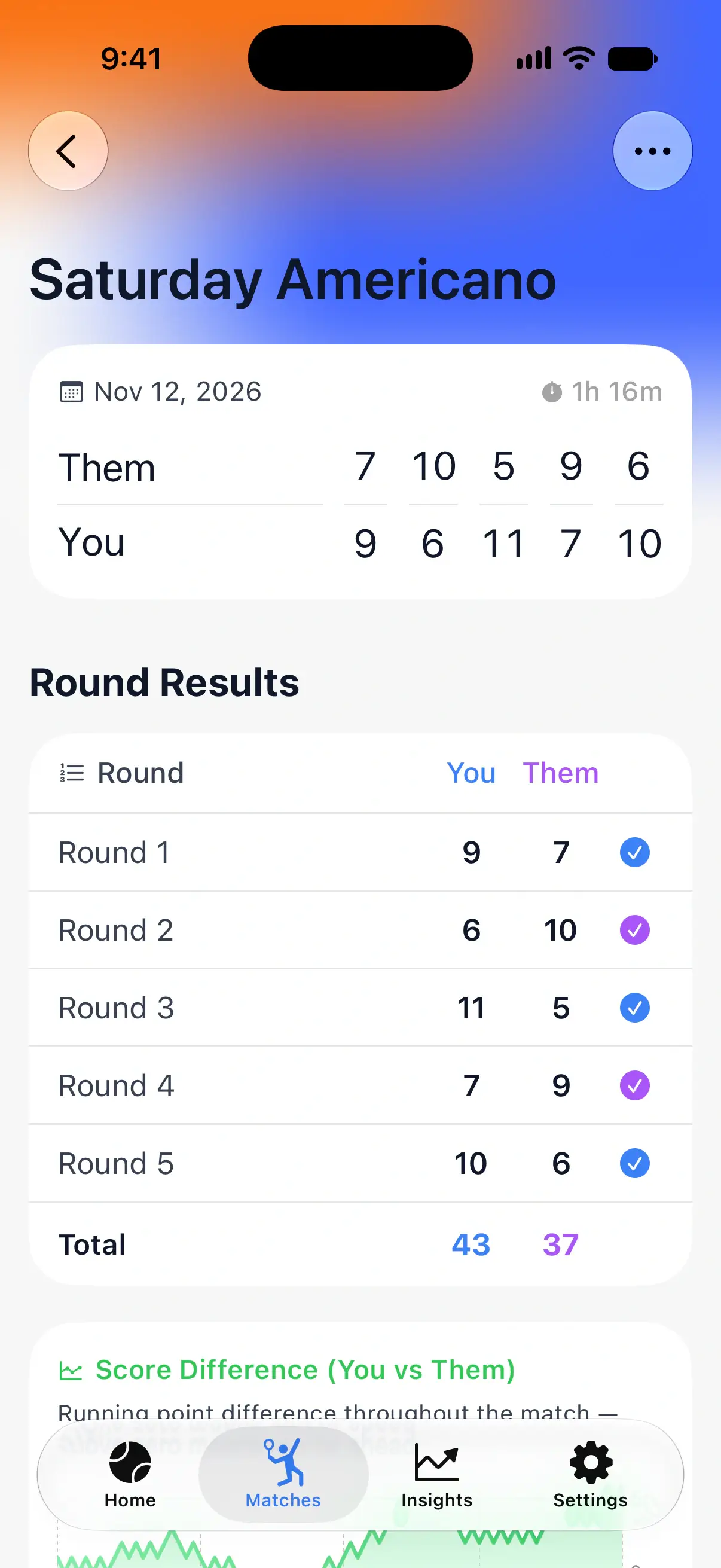
A Point-by-Point match, such as an Americano, shows its Round Results instead: the points of each team in every round and the totals.
Questions and answers
Why don't I see statistics for some matches?
Point-by-point statistics need a match scored on Apple Watch. Matches added by hand and matches scored with Simplified Scoring only keep the score of each game.
Can I see statistics for just one set?
Yes. Tap a set at the top of Match Details, and the statistics below show that set only.
Can I get the raw data of a match?
Yes. Tap the More button on the match page and choose Export as CSV or Export as JSON, with every point of the match.
Related
- Track your padel workouts on Apple Watch Record each padel match as a workout in Apple Health, with a warm-up timer, heart rate at every point, calories, distance and an effort rating.
- How to keep score of a padel match on Apple Watch Start a match in PadelMax on Apple Watch, pick the rules and the first server, tap to score each point, undo a mistake and end the match.
- Padel statistics and match insights See every padel match in detail: points won, golden and break points, mistakes, heart rate at each point, and your win rate and trends over time.