
Add a match you played without your Apple Watch
Forgot your watch or played on someone else's scoring? Add the match by hand in PadelMax on iPhone, with sets, a super tie-break or Americano rounds.
Played without your Apple Watch? Add the match by hand on your iPhone, and your record stays complete: it counts toward your wins, losses and streaks like the matches you scored on the watch.
Add the match
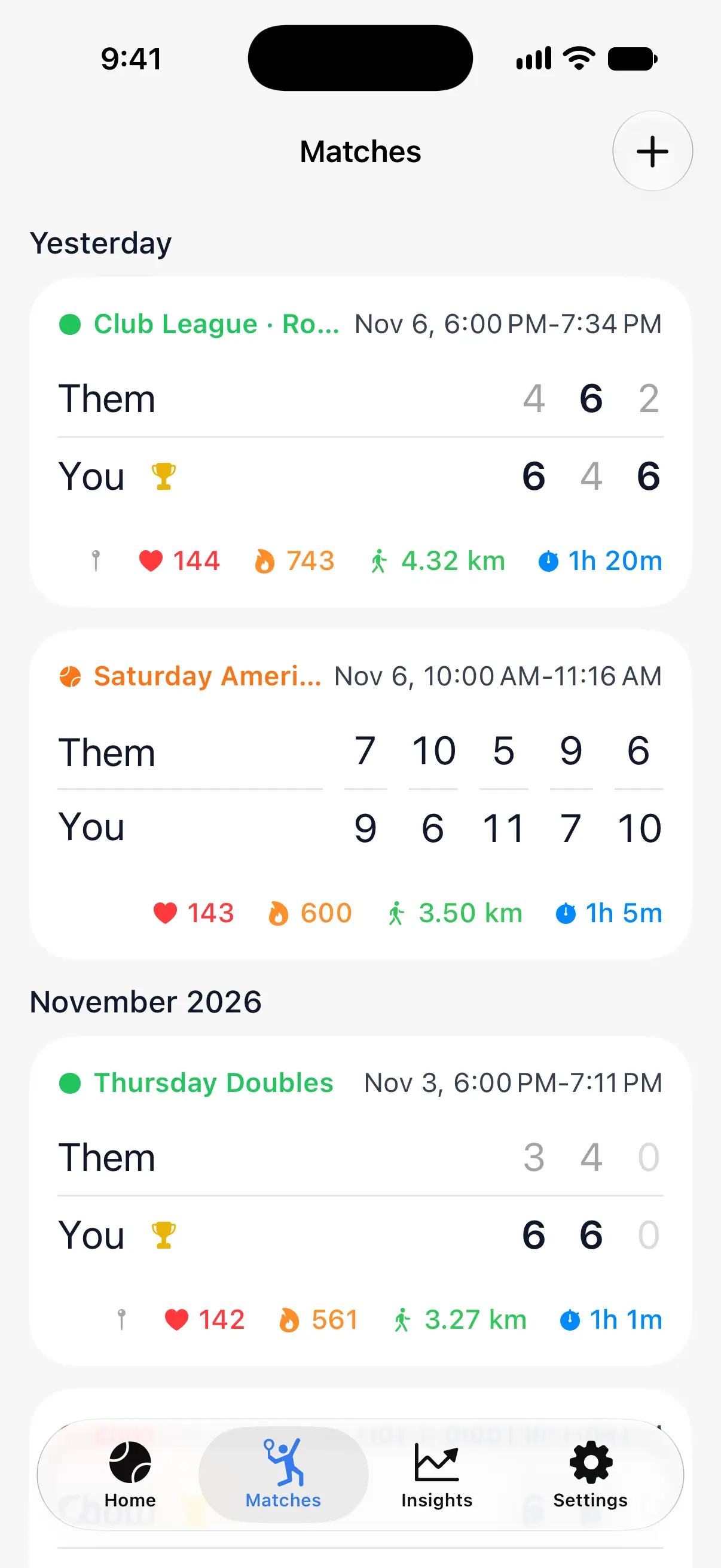
- Open the Matches tab and tap + at the top right.
- Choose the Format and enter the score (see below).
- Tap the checkmark at the top right to save.

Choose the format and time
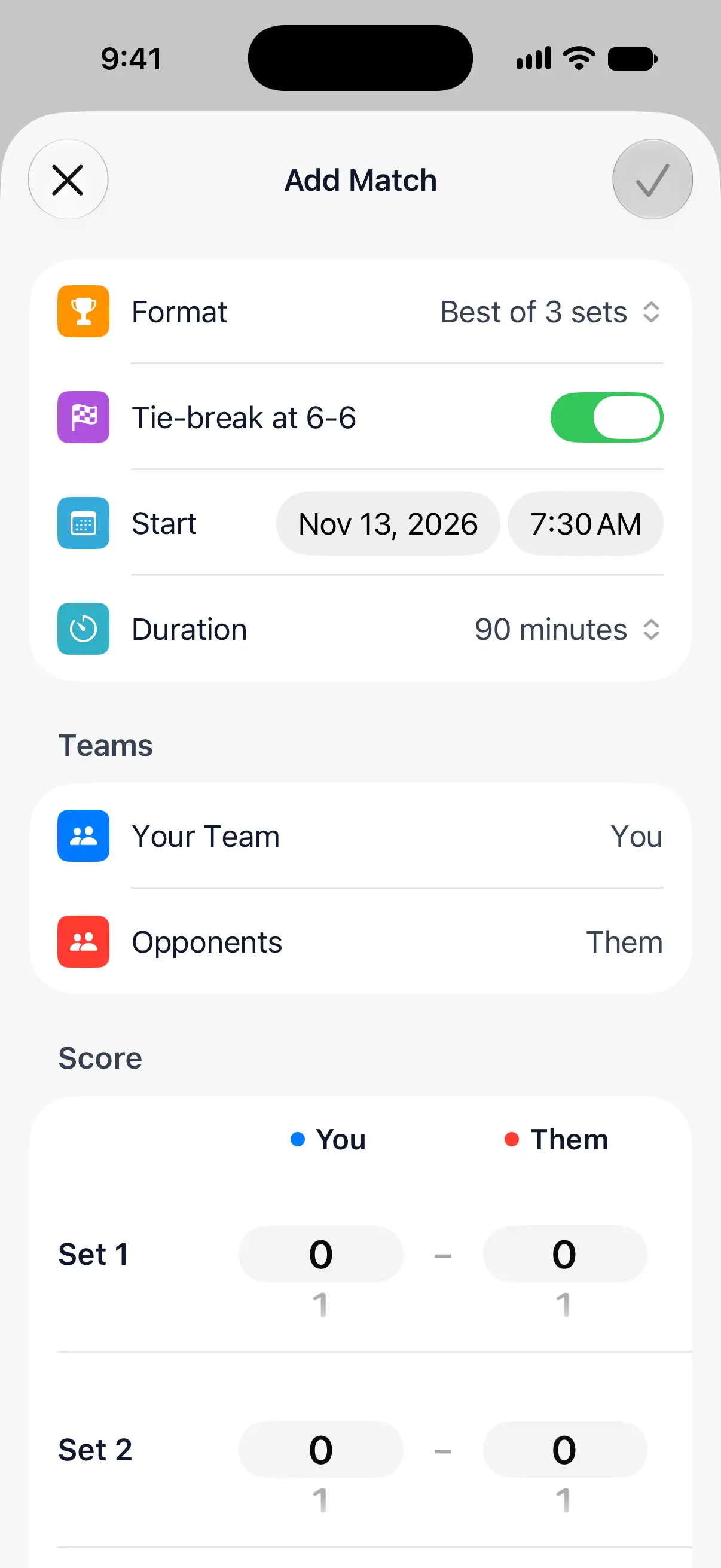
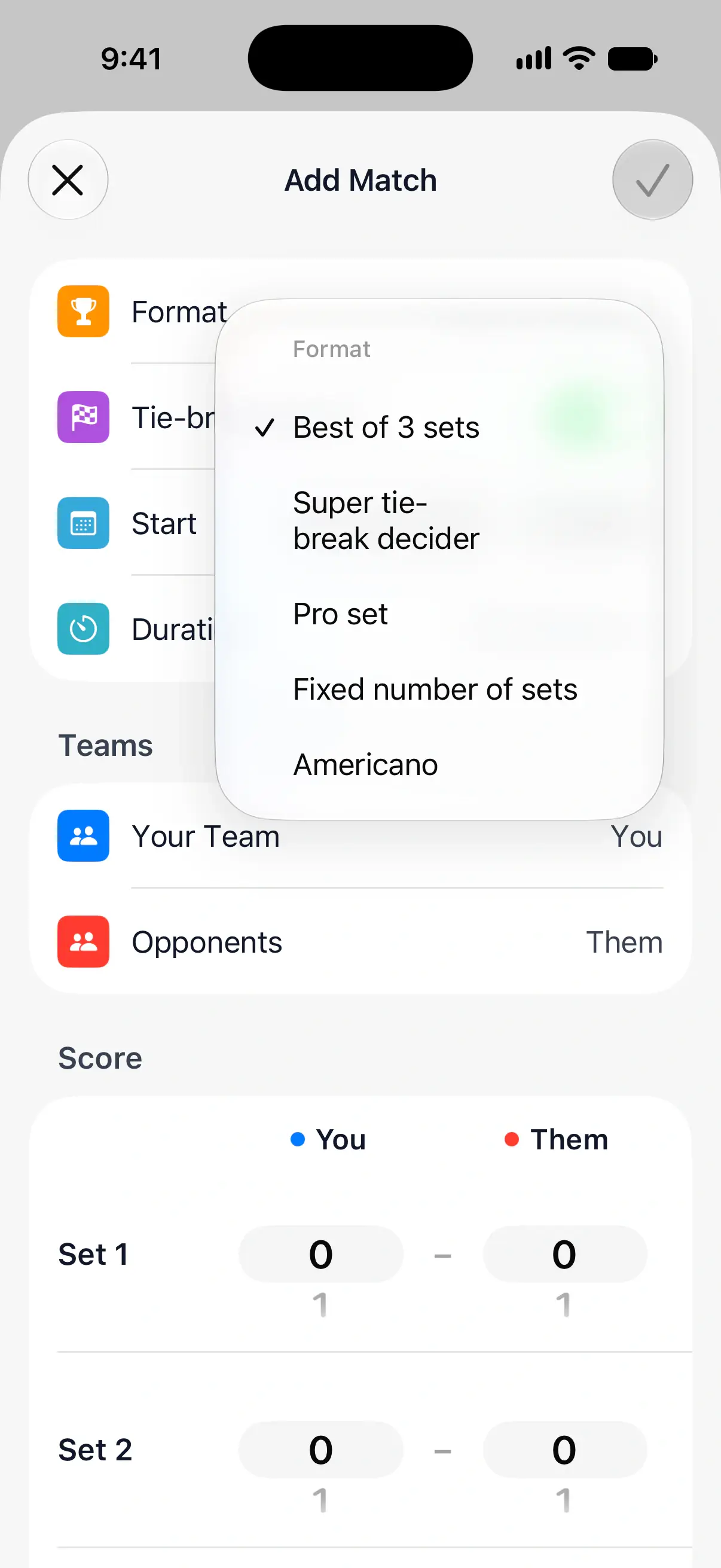
Format matches the way you played:
- Best of 3 sets
- Super tie-break decider: two sets, then a super tie-break instead of a third set.
- Pro set: one set to 9 games.
- Fixed number of sets
- Americano: points in rounds.
Turn off Tie-break at 6-6 if your sets went on until one team led by 2 games. Then set when the match started under Start and how long it lasted under Duration.
Name the teams and enter the score
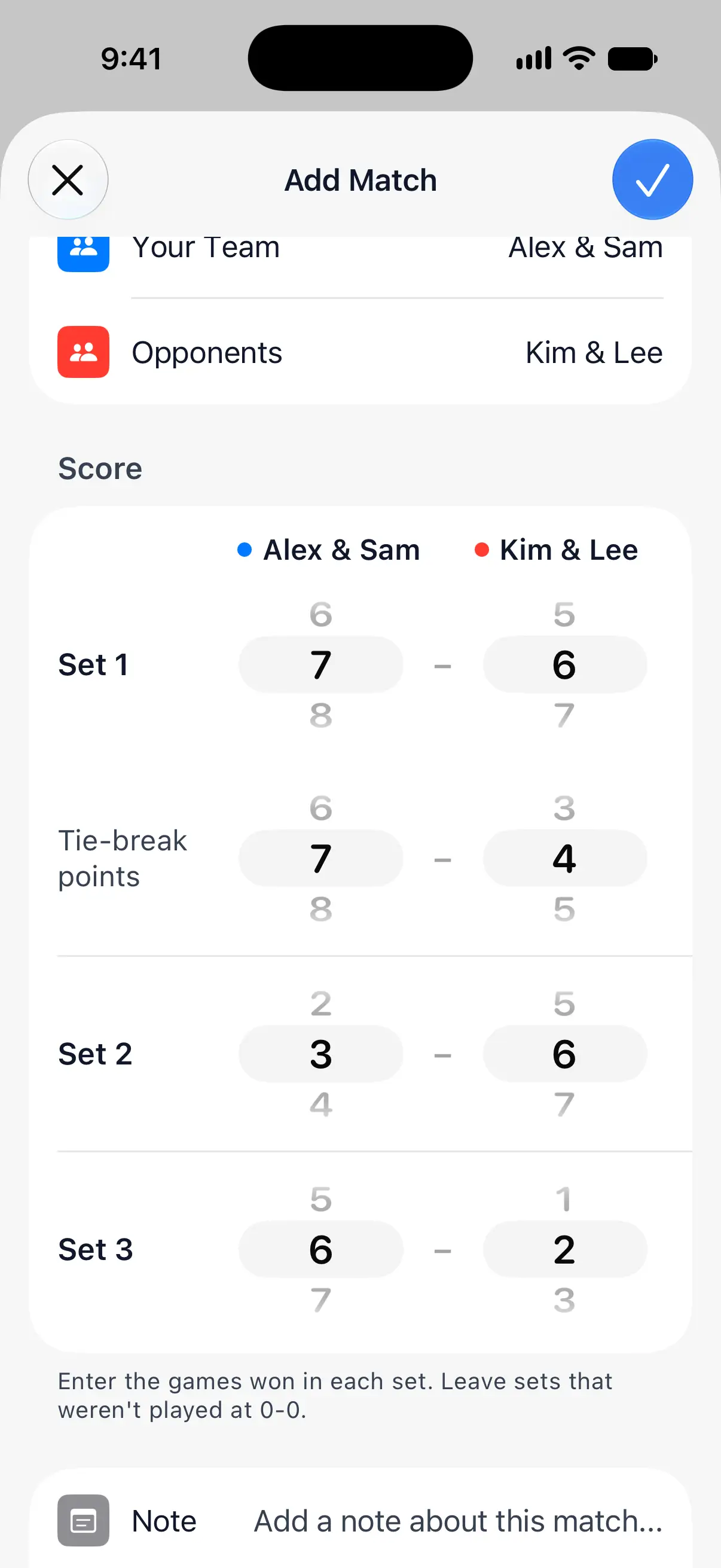
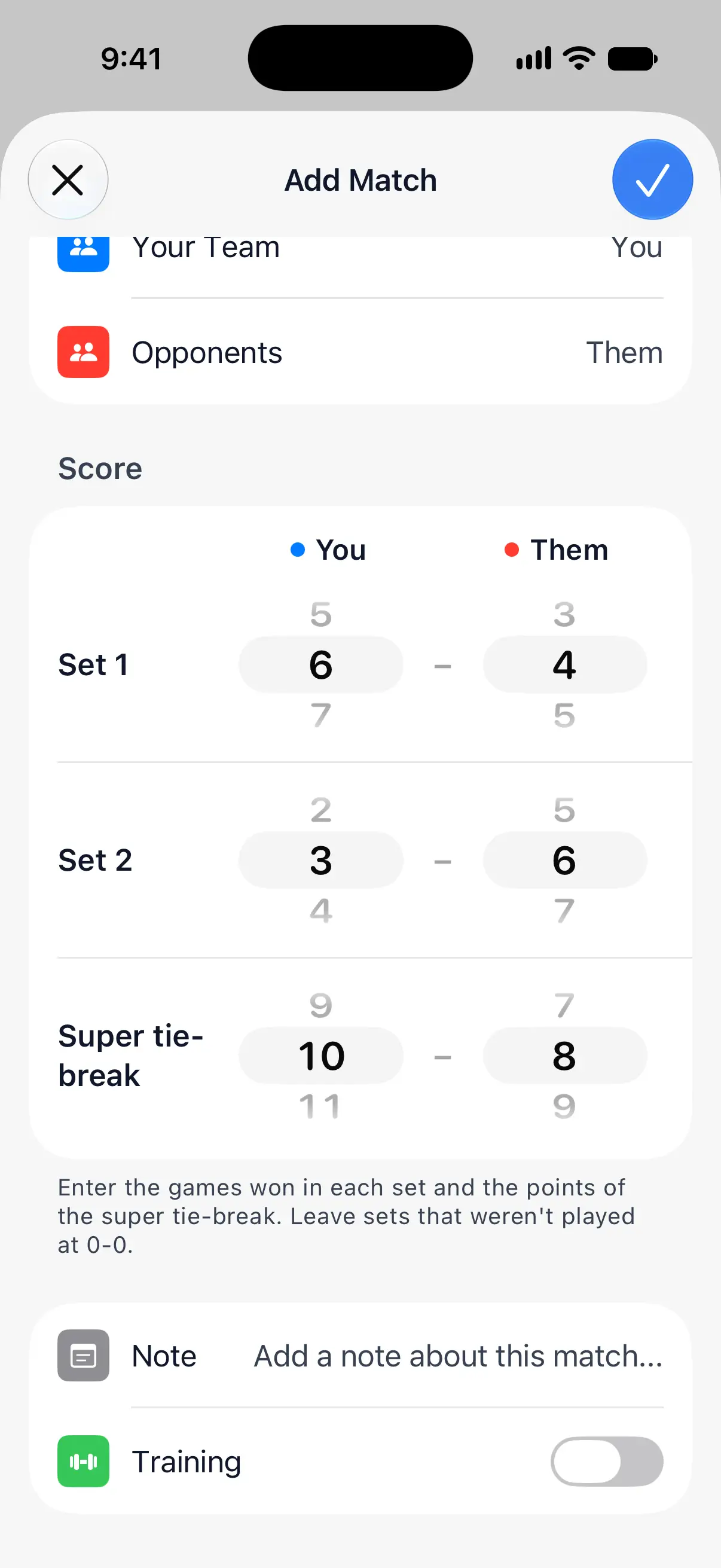
Under Teams, tap Your Team and Opponents to put in the players’ names, or keep You and Them.
Then turn the wheels under Score to the games each team won in every set. When a set ends 7-6, a Tie-break points row appears for the tie-break score. Leave sets that weren’t played at 0-0.
Add a note or mark it as training
At the bottom of the form, Note keeps a few words about the match: how it went, or what to work on. Turn on Training for a practice match, and it won’t count toward your record.
After saving
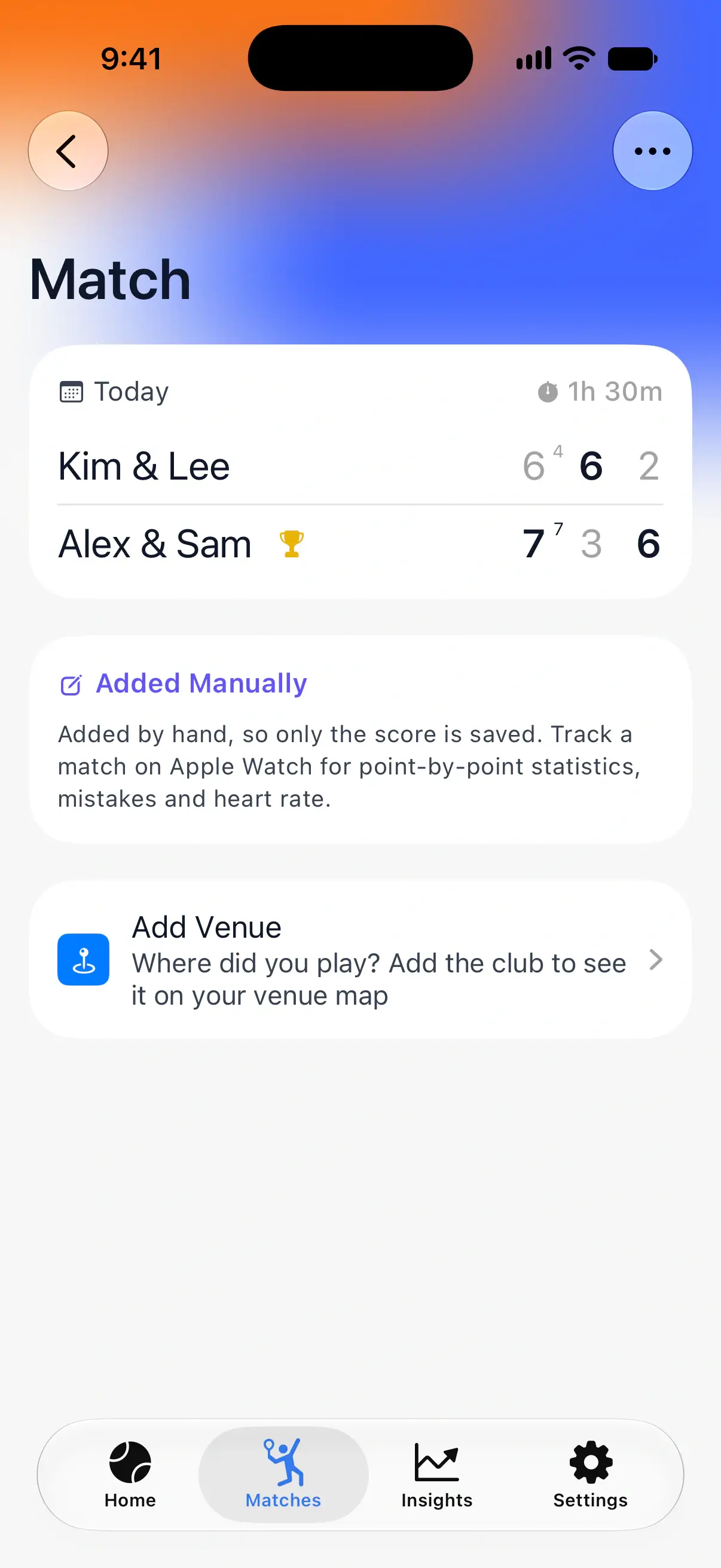
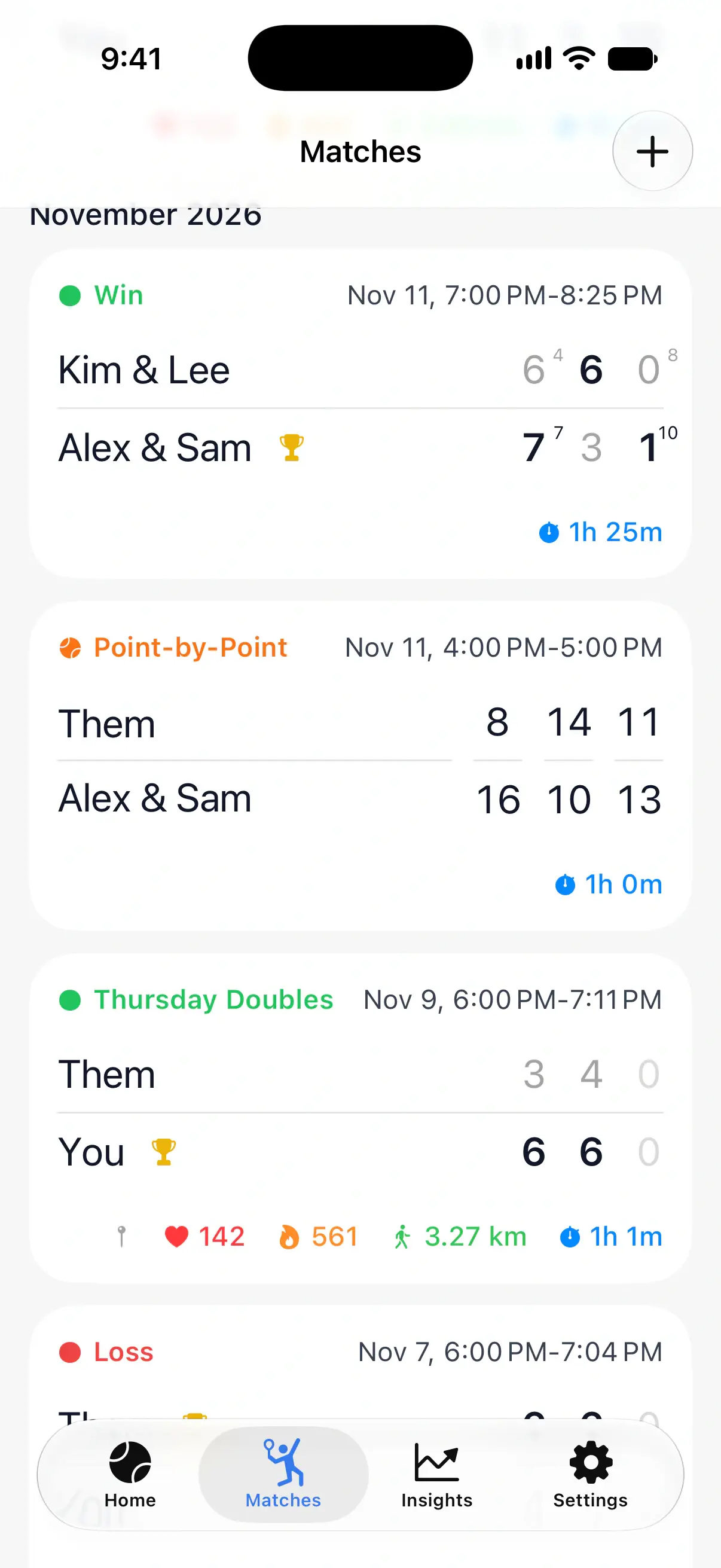
The match is in Matches with the others, and its page shows the score of each set. An Added Manually card reminds you that only the score is saved: point-by-point statistics, mistakes and heart rate need a match scored on Apple Watch.
From the match page, you can also add where you played. See Add venues to your matches.
Questions and answers
Do matches added by hand count in my statistics?
Yes. They count toward your wins, losses, streaks and time on court in Home and Insights, unless you mark them as training.
Why does a match I added have no point statistics?
A match added by hand only has the score of each set or round. Point-by-point statistics, mistakes and heart rate come from scoring the match on Apple Watch.
Why can't I save the match?
PadelMax checks that each set could really end with the score you entered. If a set shows a message such as "Set 3 can't end with this score", fix that set, or leave a set that wasn't played at 0-0.
Related
- Understand your match statistics What each statistic on a PadelMax match page means, from points won and break points to close games, serve points, score difference and mistakes.
- Add venues to your matches Save the club where you played each padel match, and see every venue on a map with your matches, record and win rate at each one.
- Padel statistics and match insights See every padel match in detail: points won, golden and break points, mistakes, heart rate at each point, and your win rate and trends over time.